Getting Started
- Join the Discord and LinkRequired to play. Type /link in any channel to connect.
In order to access the server, linking to our Discord is required. This integrates additional systems and creates a known bridge between all players and the server.
Join the Cold Creek DiscordThen type /link in any channel. Join DiscordNote: The /link command can be typed into any channel. It takes about 10 to 30 seconds to reach the server.
- Create a CharacterYour RP legal name, date of birth and face. Changeable once every 60 days.
You set up your character in two steps the first time you join.
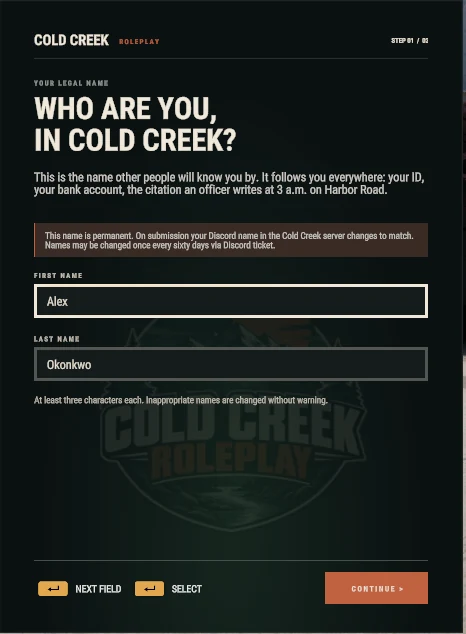
Step 1: Your Name 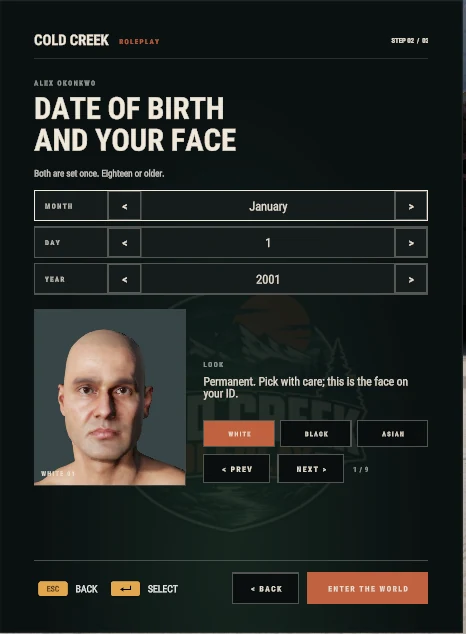
Step 2: Date of Birth and Face - Your Name. A first and last name, at least three letters each. It's your RP legal name: it goes on your ID, your bank account and every citation. Your Discord name on the Cold Creek server changes to match.
- Date of Birth and Face. Pick a date of birth (you must be 18 or older) and a face from the White, Black and Asian sets. Then press Enter the World.
Note: Your name and identity can be changed once every 60 days, through a Discord ticket. Inappropriate names are changed without warning.
- Your PocketsTwo slots for your only ID and phone, apart from your inventory.
Your pockets have two slots. They hold your only phone and ID.
Your ID
Your state ID is created with your character, and the CAD looks you up by it. Your driver's license is the card in your ID slot.
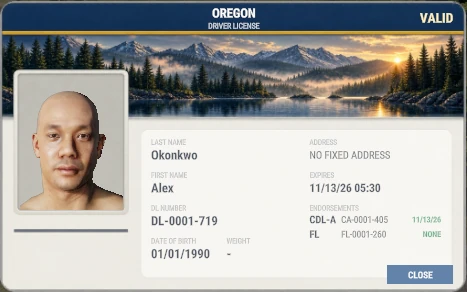
Driver's License with CDL-A and Firearm Endorsements On the Card: your photo, name, date of birth, weight, license number, home address, status and expiry. Endorsements are listed underneath, each with its own number and expiry.
License Where Cost Valid for Driver's license DMV $25 21 days Commercial, CDL-A DMV $250 21 days Hunting DMV $150 21 days Tow and repair medallionNeeds a CDL‑A DMV $5,000 21 days FirearmPass the range test The range $200 Never expires Renewing: at the DMV, from 2 days before expiry onward, for the same fee from Checking. A suspended or revoked license can't be renewed there; see an officer.
Your Phone
Your phone sits in the other slot. If you lose it, buy a replacement at any store, or reconnect after being away for 30 minutes and it comes back.
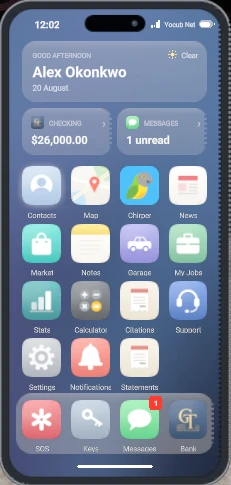
The Home Screen Open it with the keybind under Cold Creek > General in the keybind menu. Every app is explained in Your Phone.
- CreekLinkThe web hub for your assets, court docket and stats.
- CreekLink is a web-based hub for your character. You are able to view your assets, court docket and statistics through here. For government employees, this is also how they access their systems.
- ControlsEvery Cold Creek key and button, and where to change them.
Every Cold Creek control, with its default key and controller button. Pick a system to light up its keys, and point at a row to see just that control.
Keyboard and Mouse Controller General
Change these in Cold Creek > General.
Action Keyboard Controller Open phone O View+D-pad left Close phonePhone open O Not set Hands up / hands down ` View+D-pad right Panic buttonHold, on duty . View+L3 Voice rangeCycles whisper, normal, yell N View+RB Work / stop workingAt a job spot K View+D-pad down Lock / unlock nearest car U View+LB Treat yourself Shift+H View+R3 Deployment wheel H View+D-pad up Lockpick: set pinWhile lockpicking SpaceorEnterorLeft click A Placing Items
Change these in Cold Creek > Deploying.
Action Keyboard Controller Cancel placement Right click B Rotate left Wheel down D-pad left Rotate right Wheel up D-pad right Carrying Crates
Change these in Cold Creek > Carrying Crates.
Action Keyboard Controller Place crate Left click RT Hide preview Right click BorY RotateHold Shift and scroll Shift+Mouse wheel D-pad leftorD-pad right Radio
Change these in Cold Creek > Radio.
Open the radio menu with the game's own radio key first; the menu controls work while it is open.
Action Keyboard Controller Talk on alternate channelHold Shift+Caps Lock LB+Y Channel volume down / upRadio menu; Y cycles ZorC Y Radio volume down / upRadio menu; View + Y cycles -or= View+Y Cycle ear (both, left, right)Radio menu X RB Set as alternate channelRadio menu V View+RB Fishing
Change these in Cold Creek > Fishing.
Action Keyboard Controller ReelHold Left click RT Drag down / up QorE LBorRB Cut line K B Move the rod Mouse Rstick Firefighting
Change these in Cold Creek > Firefighting.
Action Keyboard Controller SprayHold Left click RT Mining and the Quarry
Fixed controls; they are not in the keybind menu.
Action Keyboard Controller Hit the weak spotWhen the bar shows Left click RT Quarry feed down / upAt the crusher QorE LBorRB Quarry releaseAt the crusher Left clickorSpace RT Polish a gemHold, at the polisher Left clickorSpace RT Emergency Vehicles
Change these in Cold Creek Emergency Vehicles.
No controller buttons are set by default; bind your own in the menu.
Action Keyboard Controller Lights on / offDriving a police, fire or EMS vehicle Num 7 Not set Next light stage Num / Not set Next light pattern Num 9 Not set Siren on / off Num 4 Not set Next siren tone Num 6 Not set PA callout menu Num 5 Not set Billiards
Fixed controls; they are not in the keybind menu.
Action Keyboard Controller Aim WorAorSorD Lstick Shoot Left click RT Confirm Space A Cancel Right click B SpinHold Shift and use W A S D, or the right stick Shift LBorRstick Fine aimHold Ctrl RB Top view on / off V Y Call a pocketCycles through the pockets E D-pad up Nudge left / right LeftorRight D-pad leftorD-pad right Arcade
Fixed controls; they are not in the keybind menu.
Action Keyboard Controller MoveArrow keys work too WorAorSorD D-pad uporD-pad downorD-pad leftorD-pad rightorLstick Start SpaceorEnter A Back Backspace B Left / right flipperZ and M, or LT and RT, also work ShiftorRight Shift LBorRB Pinball flippers QorE LBorRB Roll (alley) Space A Fine control (alley)Hold Shift LB Changing a Control
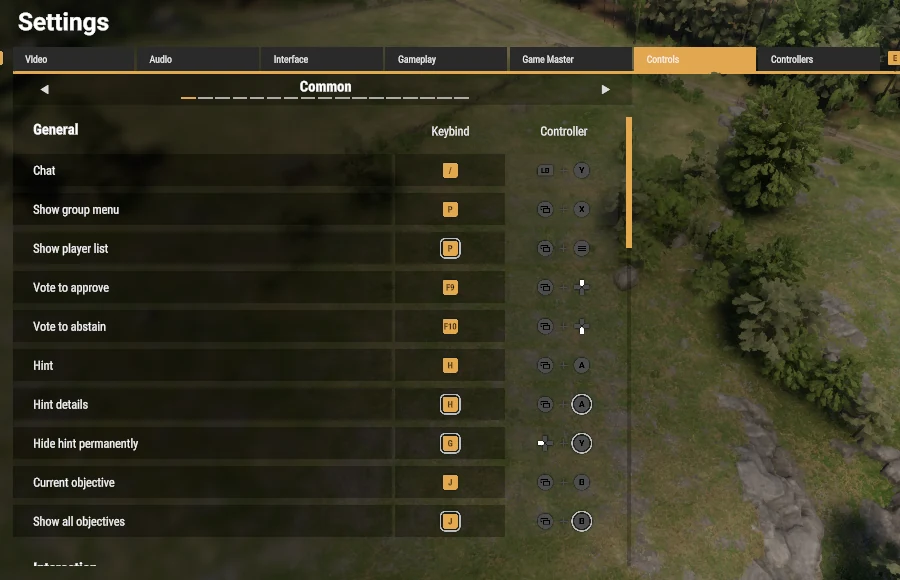 1
2
3
1
2
3Settings, Controls Tab - Open Settings and pick the Controls tab.
- Page to Cold Creek with the arrows beside the category name. It comes right after Game Master. Police lights and sirens are in the next one, Cold Creek Emergency Vehicles.
- Select a Key under Keybind or Controller, then press the new one. Reset all puts every control back to its default.
The game's own controls, such as moving, interacting and your inventory, are in the other categories of the same menu.
Your First Day
- Get Your BearingsYou wake up on the steps of the Merchants Mall. Open your phone and find your way.
That's 719 Harbor Avenue, in the middle of downtown. Open your phone and get your bearings.
Check the Map
The Map app shows all of Cold Creek. Find the mall, then find where you want to go next.
Check Your Money
You start with $1,000 in Checking. Your phone's Bank app shows it.
Note: Your ID and phone ride in your pockets, apart from your inventory. If you get stuck on a key, see Controls.
- Get Some WheelsA $500 bike from Cycle Works, or a used car from Freaky Franklin's.
Cold Creek is bigger than it looks, and walking gets old fast. Your starting money covers a bike, and a beater car isn't far behind.
A Bike, $500
Cold Creek Cycle Works is right by the mall. The Creekline Alder costs $500, and you can ride away on it straight from your $1,000.
A Hooptie, from $1,500
Freaky Franklin's Used Cars, 204 Mill Street. The cheapest is the Kasuga Briar at $1,500, and sedans start at $4,500. Earn a little first.
- Both shops take payment from Checking.
- Every vehicle comes with a plate and 14 days of registration. See Registration.
- Park it at a public garage when you log off. It stays at the garage you left it in.
- Earn Your First MoneyDeliver papers, start farming, or cut and sell wood.
Pick something simple to start. None of these need a license or an application.
Deliver Papers
The Morning Wood pays $120 for 10 papers or $240 for 25. Any home mailbox counts.
Start Farming
Buy a $25 shovel and a $35 watering can from Farmer Hal at Hal's Homestead, then take a starter job. The seed's free, potatoes take 25 minutes, and each job pays $60. See Farming.
Cut and Sell Wood
Cut logs at a timber stand, no tool needed, and sell them at the sawmill or mill them into lumber for more. You'll want a truck to haul them. See Woodworking.
Later on, garbage collection and towing pay more but need a CDL-A, and freight needs a truck.
- Find a Place to Call HomeSave up for your own place at Timber & Tide Real Estate.
Your first big goal is a home. A place of your own gives you an address and a door that locks.
- Where: Timber & Tide Real Estate, 613 Hemlock Street. Pick a home from the listings binder and pay from Checking.
- Start Small: one-bedroom flats at 210 and 310 Hemlock Street and 120 Cottage Lane run $24,000 to $28,000, depending on the floor.
- What You Get: your address goes on your license, flats and some houses come with a kitchen stove, and you can set up your own crafting stations and kitchen gear.
Note: See Property for locks, keys and transfers.
Cash and Accounts
- CashA physical item in your pocket. Lost if you die carrying it.
Cash is a physical item that is carried on your person in the pocket slot. You are always able to carry cash, even if your inventory is full. Cash stacks into one bundle, and does not have a limit.
Note: Cash can be dropped, lost or taken like any other item, and dying clears everything you carry, cash included. Money in the bank is never lost when you die.
- AccountsChecking for spending, Savings for 5% a week. $1,000 to start.
Every character has two accounts, Checking and Savings, and starts with $1,000 in Checking.
Checking
Your spending money. Stores, fines and job deposits are taken from it, and it is the account you send and receive money with.
No interest
Savings
Purchases, fines and transfers to other people cannot touch it. It earns 5% a week, added to the balance, so it compounds.
5% a week
Interest is paid on the lowest balance your Savings held during the week, so money has to sit there the whole week to earn. It stops if you have not played for 30 days.
Move money between your own accounts at any ATM or teller. Your Checking account has an account number, shown on the ATM. Anyone can send money to that number from an ATM's Transfer screen, or you can send money from the phone.
- ATMs and Bank TellersDeposit, withdraw and transfer at Girth and Tonnage.
Banking is done with Girth and Tonnage National Bank. ATMs are inside the bank downtown and inside the strip mall.

Look for This Logo ATMs show your balances and history, take deposits and withdrawals, and send transfers. A single deposit or withdrawal at an ATM is capped at $30,000.
Tellers inside the bank do the same with no cap, and run the loan desk.
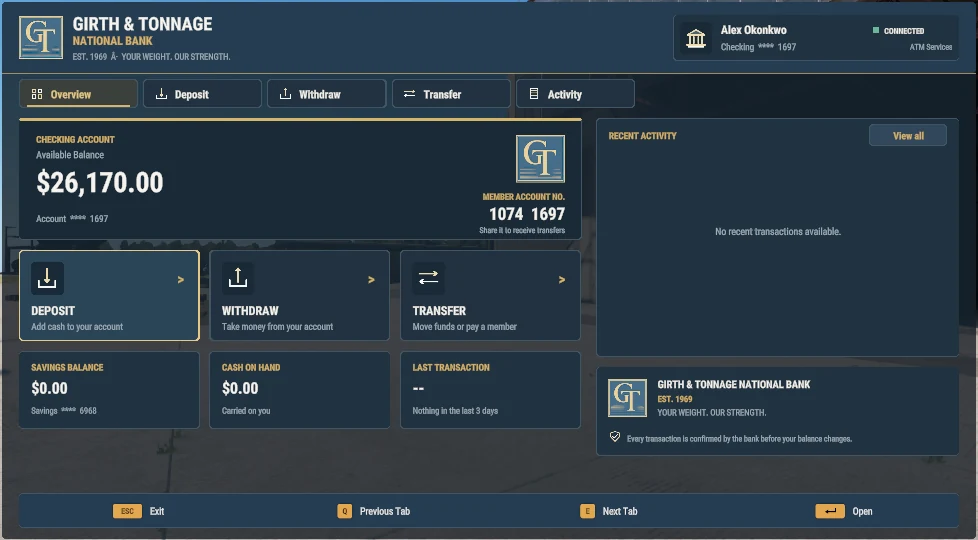
The ATM 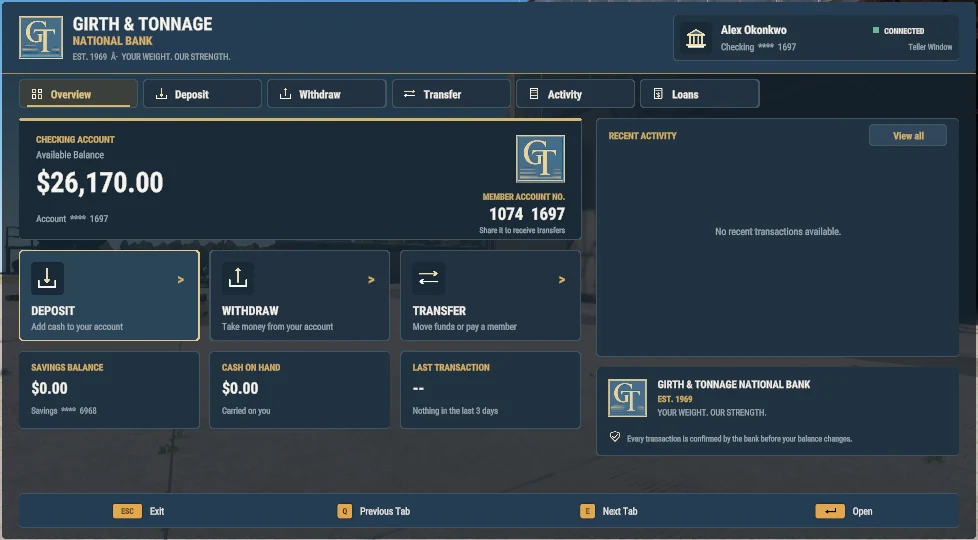
The Teller Window, with the Loans Tab - Loans$10,000 to $100,000, paid back in 7 daily payments.
Borrow from $10,000 up to $100,000 in total at a teller. The money goes into Checking straight away.
The fee is a flat percentage of the loan, 10% on $10,000 rising to 50% at $100,000. You pay it all back in 7 daily payments, made yourself at a teller.
Borrow Fee You owe Per day $10,000 10% $11,000 $1,571 $25,000 16.7% $29,165 $4,166 $50,000 27.8% $63,885 $9,126 $100,000 50% $150,000 $21,428 Missed Payments: fall 3 payments behind and you are cited for the overdue amount, and every account you hold is frozen. Until you catch up you cannot deposit, withdraw, spend or send money, only make loan payments.
- Getting PaidEveryone online is paid every 30 minutes. Police and EMS by rank.
Everyone who is online is paid every 30 minutes, straight into Checking. Civilians get $50. Police and EMS are paid by rank, with a bonus while on duty.
Police Pay On duty Cadet $100 $250 Probationary $130 $320 Officer I $150 $375 Officer II $170 $420 Senior Officer $190 $465 Corporal $210 $510 Sergeant $230 $560 Lieutenant $260 $625 Captain $290 $690 Chief $325 $775 EMS Pay On duty Probationary EMT $120 $300 EMT $150 $375 Advanced EMT $170 $420 Paramedic $200 $485 Supervisor $240 $580 EMS Chief $300 $725 Pay is per 30 minutes. Jobs pay on top of this. Vendors can be set to take cash, take the account, or accept either.
Your Phone
- OverviewA physical item, opened with a keybind. Nobody else can use yours.
-
The Home Screen Your phone lives in your pocket slot, so you always have it, even with a full inventory. Open it with O on a keyboard or View+D-pad left on a controller.
The home screen shows your name, your Checking balance and unread messages at a glance, with every app below.
Note: If you lose your phone or it's taken, buy a new one at any store, or reconnect after being away for 30 minutes and it comes back. Someone holding your phone can't get into it.

 Contacts and MessagingSwap numbers with nearby players, then text them.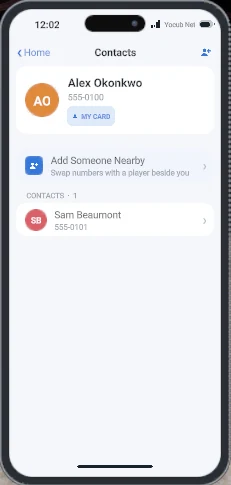
Contacts 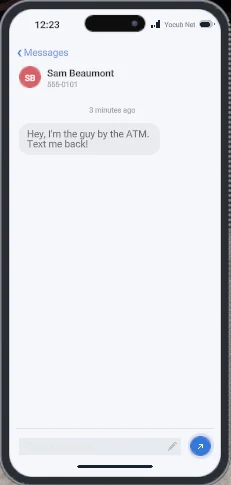
A Conversation Most phone features work between contacts, so swap numbers first.
- Add Someone Nearby in Contacts. Stand close to the other player and refresh, then swap numbers. Your own number is on your card at the top.
- Message Them from Messages, like a text thread.
ExampleSam: Hey, I'm the guy by the ATM. Text me back!
You: On my way, two minutes.
Contacts also unlock sending money and sharing keys.
 Bank and Sending MoneyYour balance, and money to and from your contacts.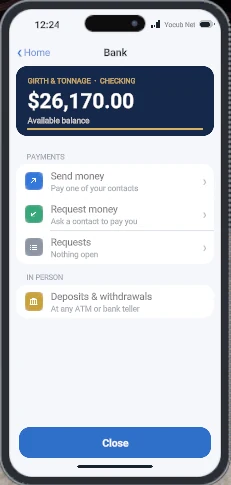
Bank The Bank app shows your Checking balance and moves money between you and your contacts.
- Send Money pays one of your contacts, straight into their Checking.
- Request Money asks a contact to pay you. You can have up to 5 open at once.
- Requests lists the requests waiting on you.
Deposits and withdrawals happen in person at an ATM or bank teller. See Cash and Accounts.
 KeysEvery lock you hold, shared keys, offers and bills.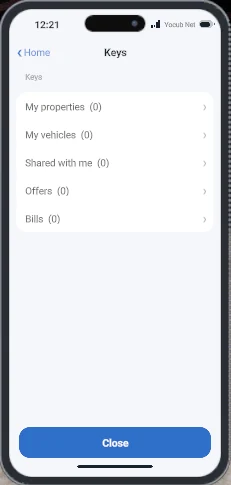
Keys The Keys app lists everything you can lock and lets you manage it from anywhere.
- My Properties and My Vehicles: lock, unlock, share a key with a contact or take it back.
- Shared With Me: keys other players have given you.
- Offers: things offered to you, waiting for an answer.
- Bills: repair bills from mechanics, to pay or decline.
For vehicles, see Locking and Keys.
 MapA full map of Cold Creek on your phone.
The Map app opens a full map of Cold Creek. You don't need a paper map.
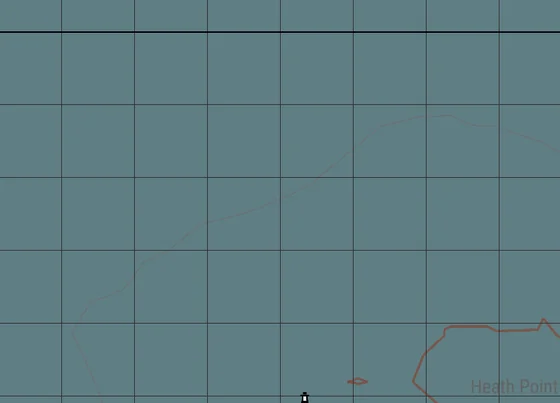
The Map  SOSCall police, EMS or fire to your location.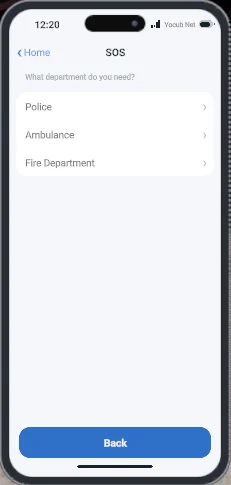
SOS Pick Police, Ambulance or Fire Department and add a message if you want to. Your name and general location go to that service.
Example messageTwo-car crash on Harbor Avenue, one person hurt.
 ChirperThe public, in-character feed.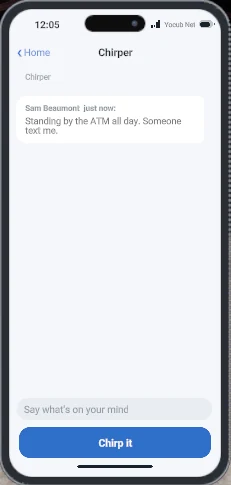
Chirper Chirper is a public feed everyone in Cold Creek can read. Write a post and press Chirp It.
Example postAnyone seen a red Kasuga near the docks? Text me.
A post can be up to 180 characters, and you can post once every 30 seconds. The feed shows the latest 100 posts.
 NewsStories about what's happening in Cold Creek.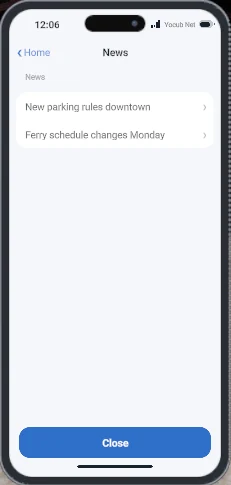
News The News app carries stories posted by staff about what's going on in town. Tap a headline to read the whole story.
 MarketList goods and services for sale.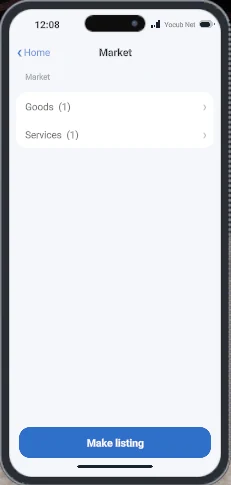
Market 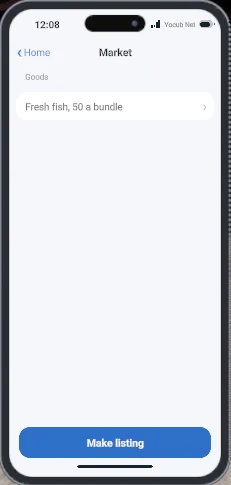
A Listing Market is the classifieds board, split into Goods and Services. Press Make Listing to post one, then buyers contact you to make a deal.
Example listingSelling: Taoceti Joy, low miles, $4,000. Text 555-0123.
You can have up to 3 listings at a time, each with a title of up to 50 characters and a description of up to 300. Listings come down after 3 days.
 CitationsYour tickets, with fines and due dates.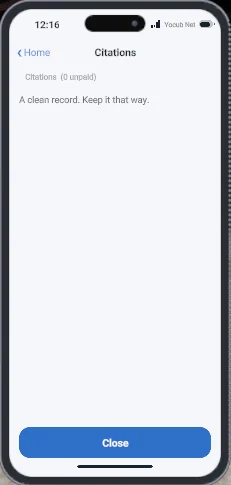
Citations Every citation written against you shows up here, with the fine, the due date and the officer who wrote it. Pay it straight from the app.
Note: An overdue citation can lead to a warrant.
 GarageEvery vehicle you own, and where it is.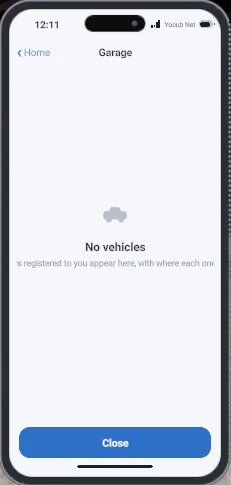
Garage The Garage app lists every vehicle registered to you and where it is right now: stored, out, impounded or off the road.
Store and bring out vehicles at a public parking totem. See Garage.
 My JobsThe jobs you're working right now.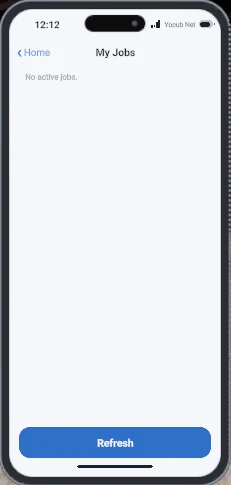
My Jobs My Jobs shows the jobs you're on, like a paper route or a delivery, and how far along you are. Press Refresh to update it.
 StatsYour lifetime earnings, spending and activity.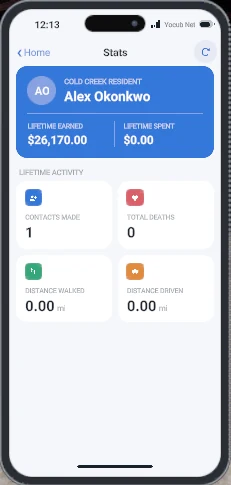
Stats Stats keeps a running record of your character: money earned and spent, contacts made, deaths, and distance walked and driven.
 SupportOpen a staff ticket, report a bug and read the rules.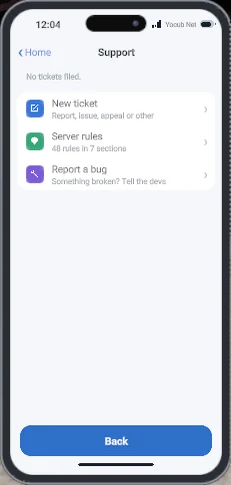
Support 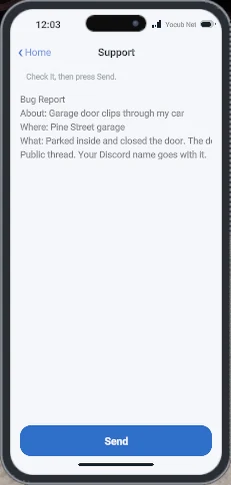
A Bug Report Support is how you reach staff and the developers, and where the server rules live.
New Ticket goes to staff. Pick Player Report, Server Issue, Ban Appeal or Misc. It opens a ticket in Discord and alerts staff. All but Misc need a linked Discord account.
Report a Bug goes to the developers. Give it one line, add where it happened if you like, then say what happened: what you did, what you expected and what you got. Check it and press Send.
Example bug reportAbout: Garage door clips through my car
Where: Pine Street garage
What: Parked inside and closed the door. The door passed through the roof.
It goes up as a public thread in #report-a-bug on Discord, under your Discord name, and the developers follow up there. Anyone can read it and add to it.
- You need a linked Discord account.
- You can have up to 6 bug reports open at once. If you hit that, add to one of your open threads instead.
 Settings and ExtrasBrightness, wallpaper, sounds, notifications and a calculator.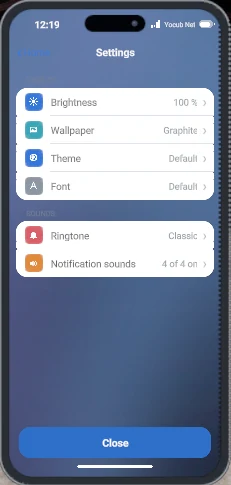
Settings 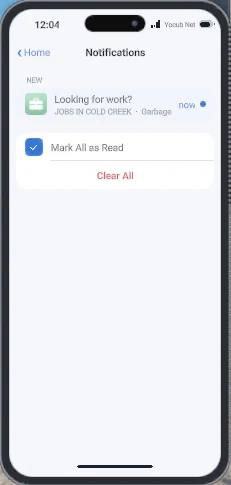
Notifications Settings changes how your phone looks and sounds: brightness, wallpaper, theme, font, ringtone and notification sounds.
Notifications collects every alert in one list, where you can mark them all read or clear them. There's also a Calculator.
Work
- OverviewThe four kinds of work in Cold Creek, and how they differ.
Work in Cold Creek comes in four kinds. They differ in how you get in, how you're paid and how much of your time they take.
Government
Full-time roles with an application and usually training. Steady pay, and access to systems other jobs don't get, like the CAD.
Examples: Police, Fire Rescue and the courts. See Government Jobs below.
Gathering
The classic life-server job. Go to a spot, gather goods, then sell them. Spots are marked on the map.
Examples: farming, picking apples, digging sand and mining. See Farming, Picking Apples, Building Materials and Mining.
Deliveries
Take goods from point A to point B. Runs range from short and simple to long hauls. Some need your own vehicle or equipment, and some rent it to you.
Examples: Fujiwan Logistics: Freight.
Tasks
Shift work. Repeat one simple action, like emptying garbage cans, dropping papers in mailboxes or driving a forklift. Pay goes by how much you get done, often against a quota.
Examples: Garbage Collection and Newspaper Delivery.
- Government JobsPolice, Fire Rescue and the courts, by application. Mayor coming soon.
Government jobs are full-time roleplay positions you apply for. Police and Fire Rescue are paid by rank: see Getting Paid.

Cold Creek Police Department
Patrols the town and answers calls for help. Officers run traffic stops and radar, write citations, make arrests and serve warrants, and keep it all on record in the CAD.
Apply in #applications.
Cold Creek Fire Rescue
Answers fire, crash and medical calls. Crews put out fires, treat the injured on scene and get them to the hospital once the scene is safe.
Apply in #applications. See Staying Alive.

Judicial System
Coming Soon
Runs the courts. The District Attorney decides which felonies to prosecute. Judges oversee trials and deliver sentences, and residents serve on juries.
Apply in #applications. See Judicial System.

Mayor
Coming Soon
An elected position. Residents will vote for the mayor.
Not open yet.
- Public Works: Garbage Collection$20 a load plus $150 a full truck. Needs a CDL-A.
Drive a Public Works garbage truck and earn $20 a load, plus $150 for every full truck. There are no set routes: empty any can or dumpster you find.
You Need: a CDL-A from the DMV, and $500 in Checking for the truck deposit. You get it back when you sign off.
- Sign On at the Public Works job board: pick Start garbage shift.
- Take the Truck from the pad outside. Up to 3 trucks can be out at once.
- Collect. Park within 8 meters of a can or dumpster, get out, look at it and pick Empty Can or Empty Dumpster.
- Empty the Load. The truck holds 30 loads. Back it up to the depot and pick Empty the Load at the board for the $150 bonus and a full tank.
- Sign Off. With the truck at the depot, pick End Garbage Shift to get your deposit back.
What You Can Collect: Public Works cans outside houses and dumpsters outside businesses. A can is 1 load, a dumpster is 3, and each spot refills after 45 minutes.
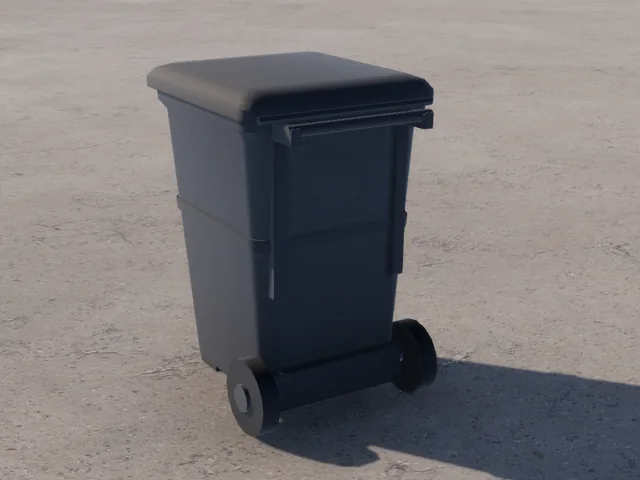
Curbside Cart, 1 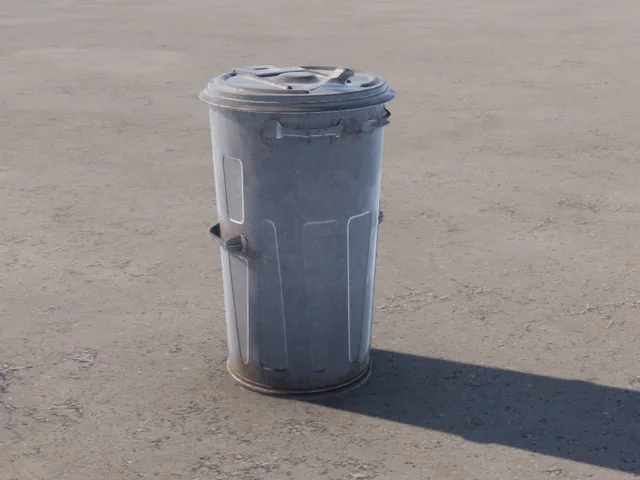
Metal Can, 1 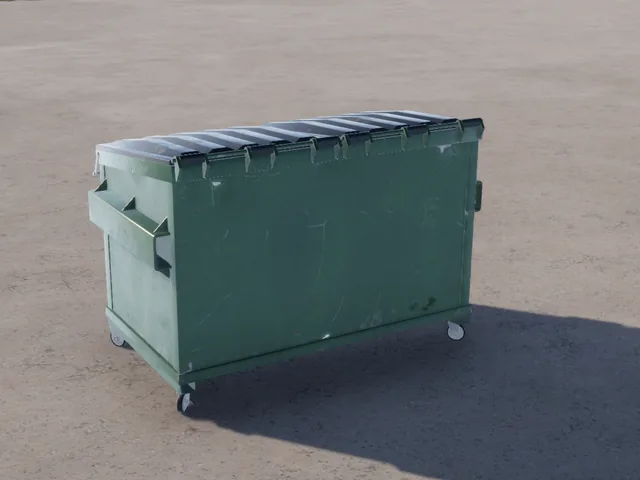
Green Dumpster, 3 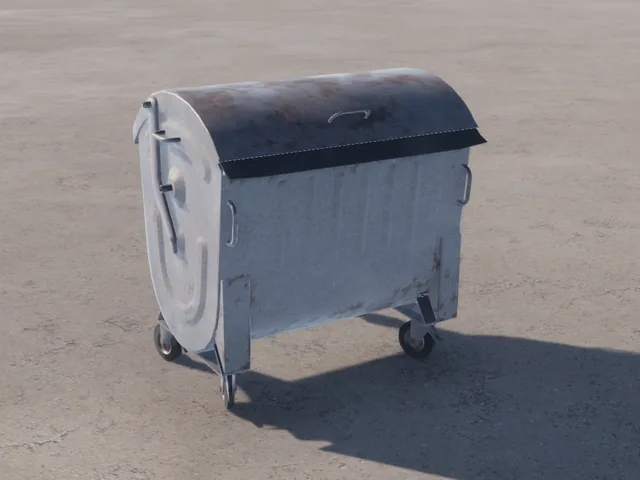
Steel Dumpster, 3 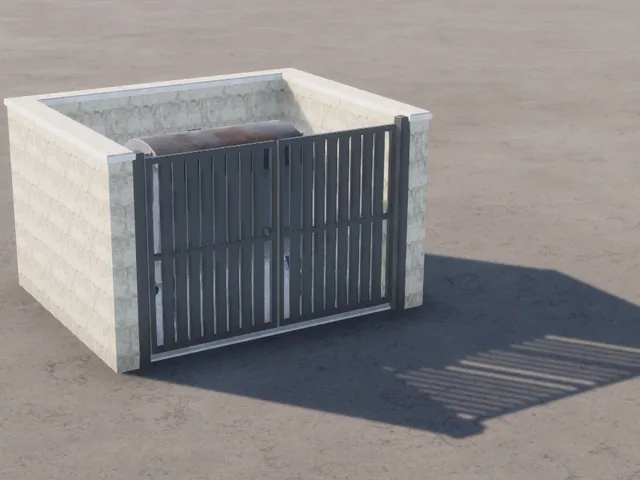
Dumpster Enclosure, 3 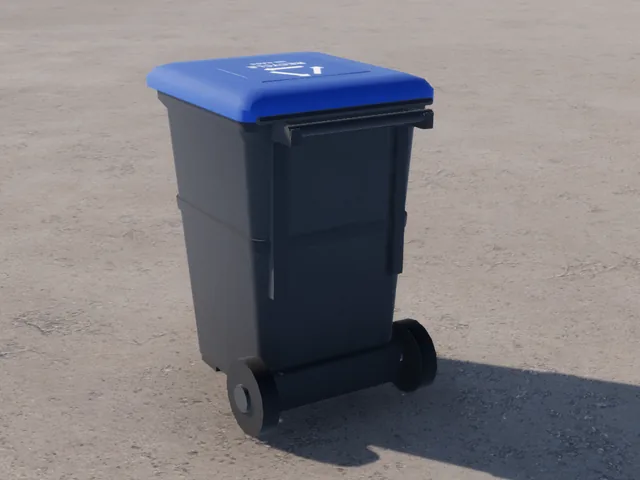
Recycling: Skip It Good to Know
- Load pay lands every 5 minutes.
- 15 minutes without a pickup ends your shift. Park at the depot first, or the truck is reported stolen.
- Wreck the truck and you lose the deposit. You can start again after 10 minutes.
- Truck stuck? Pick Report truck stuck at the board. Your deposit comes back.
- The Morning Wood: Newspaper Delivery$120 for 10 papers or $240 for 25. Any home mailbox counts.
Deliver The Morning Wood to home mailboxes and earn $120 for 10 papers, or $240 for 25. Walk or drive. Any home mailbox on the map counts.
You Need: nothing. No license and no deposit.
Where to Start: a print stand. The Cold Creek Print Stand is outside the Merchants Mall, 719 Harbor Avenue. The Hamlet Print Stand is at Happy Hermit's Pancake House, 224 Fern Street in Bayside. There is also one in Pine Cove.
- Take a Route at the print stand board. A stack of newspapers goes into your pockets.
- Deliver. Walk up to any home mailbox and pick Deliver paper. Each mailbox takes one paper a day, from anyone.
- Finish. The last paper pays the route.
Which Mailboxes Count: every home mailbox, in all eight styles, including the grouped mailboxes along main-town streets.
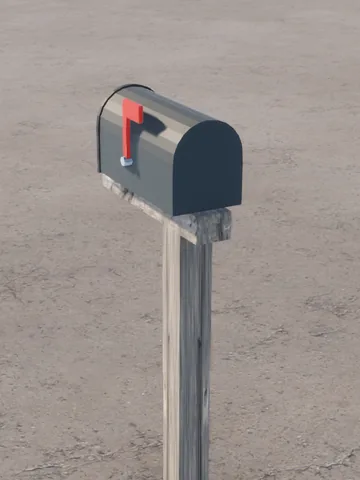
Classic Post 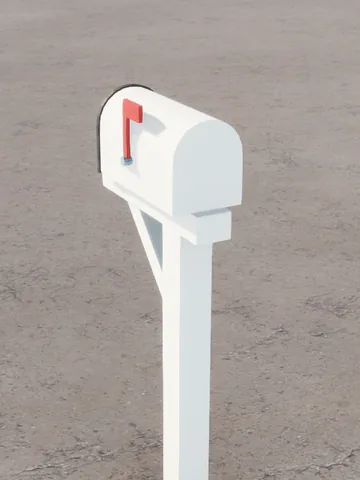
White Crossarm 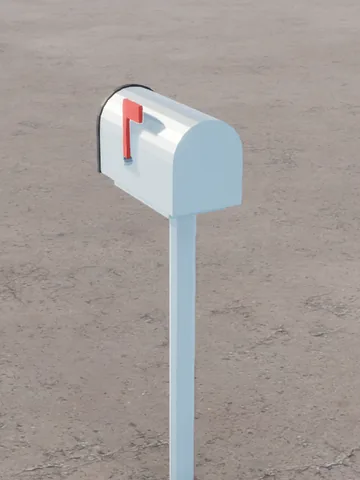
Galvanized 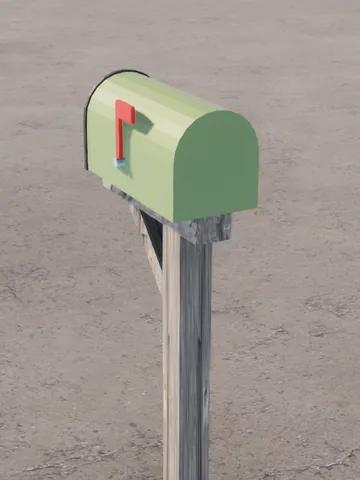
Ranch 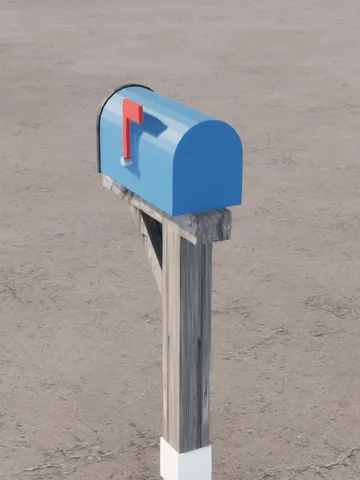
Coastal Blue 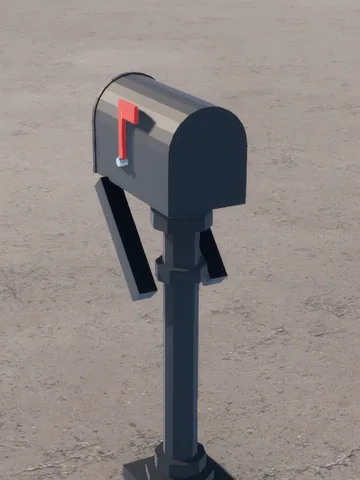
Heritage 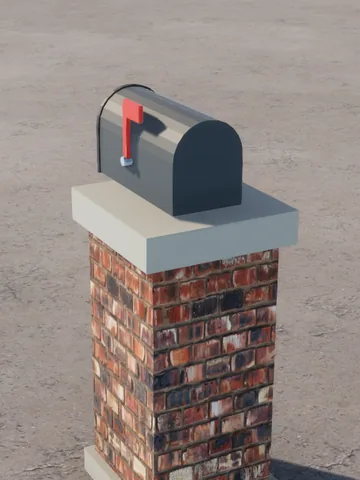
Brick Pier 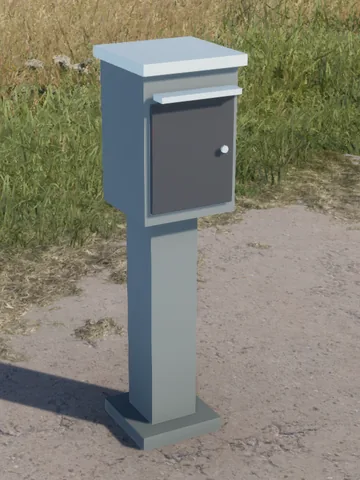
Modern Locking Good to Know
- You have 30 minutes for 10 papers, or 60 minutes for 25.
- Lost your stack? The stand gives you one replacement per route, and reconnecting hands it back.
- Cancel before your first delivery and the route goes back on the board for free. Cancel later or run out of time and you are paid for what you delivered.
- Finished routes build your reputation with The Morning Wood, and missed papers cost it. Reputation moves your pay up or down by as much as 25%.
- One route at a time. If you disconnect, your route is held for 15 minutes, twice per route.
- Fujiwan Logistics: FreightMove crates between the port, hubs, factories and shops. Paid per crate and kilometer.
Fujiwan Logistics pays you to move crates between the port, the hubs, the factories and the shops. Some jobs stay inside one yard. The rest need a truck.
You Need: no license. Yard jobs need only your hands. Jobs with a drive need a vehicle with a bed: your own truck, or a Fujiwan Van rented for the job.
Where to Start: a Fujiwan job board at any yard. Shops that take deliveries have a board too, where you hand jobs over.
Yard Address Type Cold Creek Port 309 Tideflat Road Port Cold Creek Hub City 723 Industrial Way Transport Hub Cold Creek Hub East Yards 227 Warehouse Loop Transport Hub North Town Repack West 632 Industrial Way Repack Hub North Town Repack East 117 Warehouse Loop Repack Hub North Town Factory 234 Industrial Way Factory Pine Cove Factory West Pine Cove Factory Pine Cove Factory East Pine Cove Factory Quarry Concrete Plant The quarry Factory How to Do a Job
- Take a Job. At a yard board, use Job Board and open Open Jobs. Each row shows the route, the crates, the tools that fit and the pay. Pick one and press Accept Job.
- Rent What You Need on the board's Equipment tab: a pallet jack, a forklift, or a Fujiwan Van if your job needs a vehicle. It comes out in the RENTAL box.
- Find Your Crates. Follow the yellow Pick Up marker to your loading pad. Your timer starts once the crates are out: 1 to 2 hours, depending on the load.
- Load Up. Look at a crate, use Carry, and set it in the bed. A forklift is the only way to lift a pallet or bundle into a bed. A pallet jack only moves pallets along the ground. Open the tailgate first. Cargo rides in the bed, never the trunk.
- Drive to the Drop-Off. Check the manifest in My Jobs first: the job needs every crate. Then follow the green Deliver To marker.
- Unload in the Box. Set every crate on the ground inside the DROP-OFF or FUJIWAN DELIVERIES box and you earn 20% more. Or park so your cargo sits inside the box and the yard crew unloads it, with no bonus.
- Hand It Over at that site's board: My Jobs tab, pick the job, Hand Over. You're paid straight into Checking. If anything is missing, the board tells you how many crates are done.
- Return Your Rentals at any yard board's Equipment tab, within 60 meters of it, to get your deposits back.
Placing a Crate: a ghost shows where it lands, green if it fits and red if it doesn't. Place it with the left mouse button or right trigger. Rotate it with Shift and the scroll wheel, or the D-pad.
Yard Jobs: these never leave the yard. A Staging Move takes every crate into the STAGING box. Unpack to Shelves stands every crate loose in the UNPACK box. Build Pallets stacks the crates onto empty pallets in the OUTBOUND box. Hand them over at the same board.
The Yard Markings
Every work area is a yellow box painted on the ground. Pads aren't lettered, so follow your marker. Keep loading pads and rental bays clear.

Loading Pad 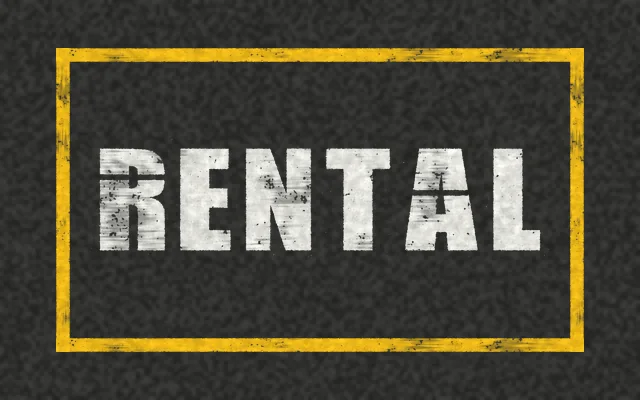
Rental Bay 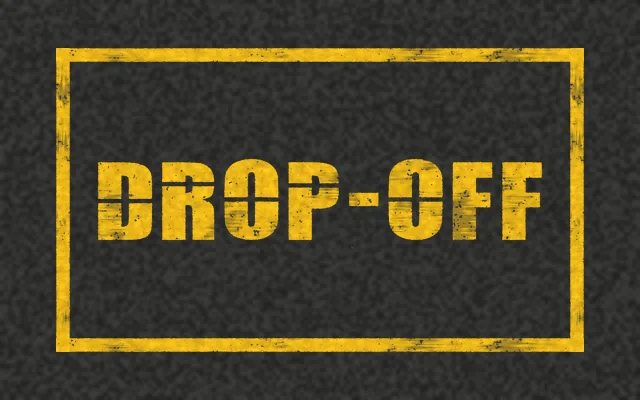
Drop-Off 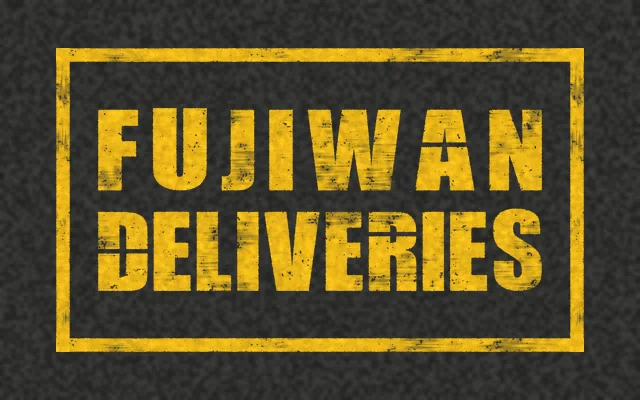
Fujiwan Deliveries 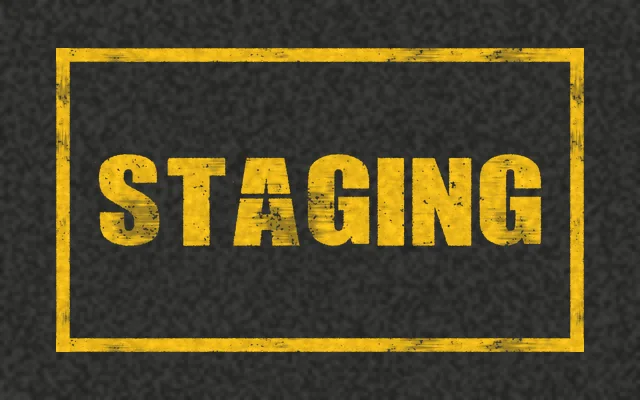
Staging 
Unpack 
Outbound Pay
A flat amount, plus an amount per crate, plus an amount per kilometer from start to drop-off, measured in a straight line.
Job Vehicle Base Per Crate Per km Port Transfer Yes $195 $16 $52 Factory Pickup Yes $169 $16 $52 Delivery Yes $156 $16 $58 Transfer to Repacking Yes $104 $10 $52 Transfer to Transport Hub Yes $104 $10 $52 Unpack to Shelves No $78 $8 None Build Pallets No $78 $8 None Hub Staging Move No $52 $5 None Repack Staging Move No $52 $5 None - Unload It Yourself: 20% more on any job with a drive. Leave even one crate aboard and the crew unloads it, with no bonus.
- Reputation: moves your pay up or down by as much as 25%.
- Fujiwan Van: 15% less on any job delivered with it.
Example: 12 crates from the Port to Hub City, about 1.5 km, pays about $463 at starting reputation, or about $555 if you unload it yourself.
Good to Know
- The first time you take a job, a step-by-step guide opens in game. Open it again with Help on any board.
- You can hold 2 jobs at once, 3 at 300 reputation and 4 at 700. Below 0 you can hold only 1.
- Every pad busy? You join a queue, and your timer waits. Leaving the queue costs 10 reputation.
- Each finished job adds 10 reputation, plus 1 per crate. Each crate not delivered costs 15.
- A failed or timed-out job still pays for crates already in the box. Canceling after your crates are out counts as failed.
- Rentals take a refundable deposit of at least $100. You can rent one of each at a time. Leave one unused for 10 minutes and it goes back, deposit refunded. Wreck it or leave it on a loading pad and you lose the deposit.
- If you disconnect or the server restarts, each job gets 30 more minutes, up to 3 times.
- A vehicle left on a loading pad that cargo is waiting for is towed after 3 minutes, with a $150 fee.
- Tow Truck DriverTow, impound and repair vehicles. Needs a CDL-A and a $5,000 medallion.
Tow stranded, totaled and impounded vehicles, and repair them at Alpharius Auto & Body. The police pay $200 for every impound tow, and you set your own price for repairs.
You Need: a CDL-A ($250) and a Tow and Repair Medallion ($5,000), both from the DMV at 310 Salal Street. Each lasts 21 days. You also need a Flatbed, $40,000 at Kevin Eagle's Commercial Vehicles, 504 Harbor Avenue. It's the only truck you can tow with.
Loading a Vehicle
- Back Up to It. Stop the flatbed with the vehicle close behind it. Nobody can be inside the vehicle.
- Load Vehicle on the flatbed. The vehicle is lifted onto the bed and secured. The bed holds one vehicle at a time.
- Drive it where it's going.
- Unload Vehicle. It's set down behind the flatbed, so clear that space first.
Whose Vehicle You Can Tow
Vehicle Who Can Tow It Your own, or one you hold a key to You, with or without a medallion Someone else's A medallion holder, once the owner presses Authorize Tow Marked for impound A medallion holder or an on-duty officer The owner can press Authorize Tow on the vehicle or in the phone's Keys app. It lasts 30 minutes, and it doesn't run out while the vehicle is on your bed.
Impound Tows
- Load the Marked Vehicle. Police mark vehicles for impound. You don't need the owner's permission.
- Drive to the Impound Lot near the police station on Cedar Street.
- Impound It. Stand within 15 meters of your flatbed, open the lot's panel and pick Impound.
- Get Paid. $200 goes straight into Checking.
Government fleet vehicles, like police cruisers and ambulances, go back to their own garage instead and pay nothing. The owner gets a text and pays $200 at the lot to get it back: see Impound.
Repairs
- Bring It In. Unload the vehicle inside a repair bay at Alpharius Auto & Body, 704 Industrial Way. Everyone has to be out.
- Buy Parts. Repair Parts are $150 a box at Alpharius. A repair uses one box per quarter of damage, so 1 to 4.
- Repair Vehicle at the bay. It takes 10 to 60 seconds, depending on the damage. Stay at the bay and keep the vehicle still.
- Send the Bill from your phone's Keys app, under Bills. It suggests a price, and you can charge anything up to $25,000. The owner pays it or declines it.
Example: a vehicle at half damage takes 2 boxes of parts and about 35 seconds. The suggested bill is $550: $300 for parts and $250 for labor.
Good to Know
- You have to be online when the owner pays the bill, or the payment won't go through.
- Private tows have no set fee. Agree on a price with the owner, and use Request Money in the phone's Bank app.
- Without a medallion you can't tow other people's vehicles, run a repair bay or send a bill. Renew it at the DMV from 2 days before it expires.
- A totaled vehicle won't start, so towing is the only way to get it to a bay. See Damage, Towing and Repair.
Farming
- Start at Farmer HalGrab a shovel and a watering can, then take a starter job.
Farming starts with Farmer Hal at Hal's Homestead, out in the country north-east of downtown, about two-thirds of the way to Pine Cove. It's marked
 Farm on your map. Walk up to Hal and pick Farming Hub. The Hub has four tabs: Overview, Work, Shop and Progress.
Garden Shovel, $25
Tills beds. Never used up.
Watering Can, $35
Waters crops. Never used up.
Your First Crop
- Take a Starter Job. On the Work tab. Hal gives you a free seed potato.
- Till a Training Bed. Use your shovel on one of Hal's training beds.
- Plant and Water. A crop doesn't start growing until it's watered.
- Harvest and Hand In. When it's ripe, bring 2 potatoes back to Hal and press Hand In on the Work tab. You get $60 and 60 Agriculture XP.
Note: Level 5 takes about ten starter jobs. Then you can farm any bed, not just Hal's training beds. Courier runs and daily challenges get you there faster.
- Growing a CropTill, plant, water, tend, harvest.
Every crop goes through the same five steps.
Till6 sec, shovelPlant1 seed per bedWater4 sec, canTendIf pests showHarvest3 produce- Stones: tilling sometimes hits stones. Clear Stones takes 3 seconds, or plant over them and lose 1 produce.
- Rain: rain waters every bed that isn't under cover, so you may not need the can.
- Weeds and Beetles: about a third of beds get them partway through. Pull Weeds or Pick Off Beetles takes 3 seconds. Leave them and you lose 1 produce.
- Ripe: look at the bed to see how long is left. Ripe crops spoil after 5 hours and the bed clears, so don't leave them.
A harvest gives 3 produce: 1 more at level 10 and 2 more at level 20. Stones and pests cost 1 each, but you always get at least 1.
- CropsFive crops, unlocked by level. Pumpkins pay best.
Seeds are sold on the Shop tab at Hal's. Grow time starts when you water.
Potatoes
Level 1$15 each
- Seed
- $10
- Grows
- 25 min
- XP
- 8
One bed: $45
$35 after seedCabbage
Level 5$26 each
- Seed
- $18
- Grows
- 30 min
- XP
- 12
One bed: $78
$60 after seedPeppers
Level 8$38 each
- Seed
- $26
- Grows
- 35 min
- XP
- 16
One bed: $114
$88 after seedTomatoes
Level 12$50 each
- Seed
- $35
- Grows
- 40 min
- XP
- 20
One bed: $150
$115 after seedPumpkin
Level 16$85 each
- Seed
- $50
- Grows
- 50 min
- XP
- 28
One bed: $255
$205 after seedNote: "One bed" is 3 produce at the farm stand price. Higher levels add produce and take money off seeds.
- Selling and Farm JobsCash at the farm stand, or better pay on Hal's jobs.
There are two ways to turn crops into money.
The Roadside Farm Stand
Its counter is in Cold Creek Hardware, 918 Alder Avenue, downtown. It pays cash for any amount of any crop, at the prices in Crops, and $25 for a basket of apples.
Hal's Jobs
The Work tab shows up to three jobs at a time: a local one, a medium run and a far run. Pay goes straight into Checking.
- Out-of-Town Buyers: marked on your map when you take the job. Walk up and pick Deliver Produce. Medium runs pay 30% more and far runs 70% more, and higher-level crops pay more per unit. The card shows the exact pay before you take it.
- Courier Runs: below level 5, hauls are courier runs. Hal hands you a produce crate to carry, so you don't need crops of your own. They pay 60% of a normal haul and half the XP. You need room in your bag, and you can only carry one crate.
- Take one job and the others wait for you. Logging out doesn't change them.
- One job at a time. Quit from the Work tab and Hal won't give you another for 5 minutes. A courier who quits hands the crate back.
- If an out-of-town buyer closes before you get there, take the job back to Hal for half pay.
- Or Cook Them: Cold Creek Produce is right here at Hal's Homestead, and a Prep Counter washes a harvest into single potatoes, cabbages or tomatoes to cook with. See Prep Counter.
- Picking ApplesPick apples at the orchard and sell them at Cold Creek Hardware.
The apple orchard is a short walk east of Hal's Homestead, past the
Farm marker. No level, license or tool needed.- Find a Tree. Walk up to an apple tree in the orchard and pick Pick Apples.
- Pick. About 12 seconds fills a basket of apples, and it goes into your inventory.
- Sell. Take your baskets to the Roadside Farm Stand counter in Cold Creek Hardware, 918 Alder Avenue, downtown. It pays $25 cash a basket.
Or Cook Them: A Prep Counter washes a basket into single apples for pies, cider and juice.
- Agriculture LevelLevel up to 20 for new crops, more beds and cheaper seeds.
Agriculture goes up to level 20. You earn XP for every harvest, every job and every daily challenge.
- You can have 12 crops growing at once to start, and more as you level, as shown above.
- Seed discounts only apply at Hal's.
- Daily ChallengesThree new challenges every day, paying $50 to $175 each.
You get three new challenges every day at midnight UTC, listed on the Overview tab. Each one pays cash and XP the moment you finish it, from about $50 to $175.
- Till 2 to 4 beds
- Plant 3 to 5 crops
- Water 2 to 4 crops
- Harvest 2 to 4 beds
- Finish 1 or 2 farm jobs
- Hand in 8 to 16 produce on jobs
- Grow 6 to 12 of one crop you've unlocked
- Good to KnowYour beds are yours, and crops grow while you're offline.
- Only you can plant on soil you tilled, and only you can water, tend or harvest your crops.
- Tilled soil you don't plant goes back to bare after 60 minutes.
- Crops keep growing while you're offline and survive server restarts. A restart never spoils a crop.
- Walk away while you till, water or tend and the work stops. The bed stays as it was.
Mining
- Start at Foreman GusBuy a pickaxe, take a job, and break some rock.
Mining starts with Foreman Gus at Cold Creek Quarry, in the far south-east corner of the map, about 2 km south-east of Pine Cove. It's marked
 Quarry on your map. Walk up to Gus and pick Mining Hub. The Hub has four tabs: Overview, Jobs, Equipment and Progression.
Pickaxe, $150
Sold by Gus on the Equipment tab, paid from Checking. Hold it in your hands to mine. No license needed.
Cold Creek Rockworks
Dale Mercer stands right beside Gus and buys raw ore for cash.
Your First Job
- Buy a Pickaxe. On the Equipment tab.
- Take a Job. On the Jobs tab.
- Mine. Hold your pickaxe, walk up to a rock and pick Mine. The prompt shows how much of the rock is left.
- Pick Up the Ore. Chunks fall at your feet. Pick them up before they disappear after 15 minutes.
- Hand In. Go back to Gus and hand in on the Jobs tab. Pay goes straight into Checking.
- How Mining WorksSwing, collect the chunks, carry them back.
Each swing takes a chunk out of the rock, and some swings knock ore loose.
SwingAbout 10 a rockOre Chunk35% a swingYour BagCarry 10 to startHand In or SellGus or Rockworks- Swings: a basic Pickaxe breaks a normal rock in about 10 swings. Big rocks take more swings and small ones take fewer.
- Drops: each swing has a 35% chance to drop a chunk of ore. Your level raises that chance.
- Breaking a Rock: worth 5 bonus XP. The quarry puts a new rock in its place a couple of minutes later, or about 4 in the deep vein.
- Loose Ore: a rock only holds 6 loose chunks on the ground, so pick up your ore as you go.
- Carrying: you can carry 10 chunks of ore, and more as you level up.
- Wear: your pickaxe wears out. A Pickaxe lasts 1,000 swings and a Steel Pickaxe lasts 10,000.
- Rocks and PickaxesSeven kinds of rock. The deep vein needs level 6 and steel.
Rock Level Pickaxe Drops Rock 1 Any Any ore you've unlocked Coal Rock 1 Any Stone, Coal Iron Rock 1 Any Stone, Iron Ore Copper Rock 1 Any Stone, Copper Ore Silver Rock 6 Steel Stone, Silver Ore Gold Rock 6 Steel Stone, Gold Ore Deep Rock 6 Steel Iron, Copper and Silver Ore Note: Silver, Gold and Deep Rocks are in the deep vein. They're tougher and need a Steel Pickaxe.
Pickaxe, $150
Level 1. Mines every common rock. Lasts 1,000 swings.
Steel Pickaxe, $2,500
Level 6. Mines the deep vein and hits almost twice as hard. Lasts 10,000 swings.
- Jobs from Foreman GusMost of the money is here. Three jobs on the board at a time.
The Jobs tab shows three jobs. If you don't take one, the board changes every 20 minutes. Pay is shown on the card before you take it.
- Featured: now and then one job (never a Rush Order) is Featured. It pays 15% more and gives 50% more XP.
- Orders get a little bigger with each level.
- One job at a time. After you finish a job, Gus needs 90 seconds before giving you another. Quitting also waits 90 seconds, and a failed rush waits 60.
- Ore Prices and RockworksJobs pay two to three times what Rockworks does.
Better ore pays more, on a job or at Rockworks.
Ore Per Unit on a Job Rockworks Pays Stone $3 $1 Coal $5 $2 Iron Ore $8 $3 Copper Ore $11 $4 Silver Ore $20 $9 Gold Ore $32 $14 Note: Jobs pay two to three times the Rockworks price, plus about $40 on every Quarry Order. Sell to Rockworks when you have ore left over.
Selling to Rockworks
- Speak to the Rockworks Buyer, Dale Mercer, right beside Gus at the quarry. He buys raw ore at the prices above and pays into Checking.
- Rockworks also buys gravel, quarry stone and crushed ore.
- Lucky MomentsBonus ore, weak spots and the Mother Lode.
About one swing in sixteen triggers an event, and never more than one every 25 seconds.
- Lucky Strike: 2 or 3 extra chunks of ore.
- Perfect Strike: 10 to 25 bonus XP.
- Rich Vein: each swing's ore chance goes up by 30 points (35% becomes 65%) until the rock breaks. Its name says Rich.
- Rare Find: a specimen falls out for your journal.
Weak Spot
Now and then a bar pops up for 5 seconds. On a Rich Vein you get one right away, at most once every 5 minutes, and its green zone is narrower. Press Left click (RT on Xbox, R2 on PlayStation) while the marker is in the green zone.
Perfect
The thin stripe. The rock splits for 40% of its health and drops 2 chunks (4 on a Rich Vein). 20 XP and a 45-second Vein Focus: +35 to your ore chance and a 25% chance of double drops. It might also reveal a specimen.
Good
The green zone. The rock splits for 20% of its health. 10 XP and a 25-second Vein Focus: +20 to your ore chance.
Miss
Nothing happens, and nothing is lost.
Mother Lode
Once in a while the quarry raises a giant Rich rock, and everyone within 150 m hears about it. It's tough and goes away after 10 minutes. When it breaks, whoever breaks it and up to 8 others who put at least 3 swings into it each get $150 and 120 XP, so bring friends.
- Discovery JournalEight finds to log, each with a first-find bonus.
Specimens are logged in your journal on the Progression tab. The first time you find each one pays a bonus.
Find Where Level First Find Ammonite Fossil Any rock 1 $60 Quartz Geode Any rock 1 $60 Pyrite Cluster Iron rocks 1 $80 Fern Fossil Coal rocks 2 $90 Malachite Copper rocks 3 $120 Amethyst Geode Any rock 5 $250 Native Silver Silver and deep rocks 7 $350 Meteorite Fragment Any rock, very rarely 9 $750 - Milestones: log 3 different finds to become a Rockhound ($250), 6 to become a Collector ($600), and all 9 to become Curator of Cold Creek ($1,500).
- Rough Gems: the ninth find, the Rough Gem, isn't in the quarry yet, so Curator can't be reached for now.
- Mining LevelLevel up to 10 for deeper rock, bigger bags and better luck.
Mining goes up to level 10.
- Daily ChallengesThree new challenges every day, paying $100 to $290 each.
You get three new challenges every day at midnight UTC, listed on the Overview tab. Each one pays cash and XP the moment you finish it, from about $100 to $290.
- Break 8 to 12 rocks
- Break a few Coal, Iron, Copper or Silver Rocks
- Mine a set amount of one ore
- Complete 2 or 3 foreman jobs
- Earn 150 to 250 mining XP
- Trigger 1 or 2 mining events
- Good to KnowShared rocks, carry limits, and what survives a relog.
- Working Together: if you hit a rock at least 3 times and someone else finishes it, you both get credit for breaking it, including XP, Field Work and daily challenges.
- Ore you drop on the ground disappears after 15 minutes. Ore in your bag is safe.
- The carry limit counts every chunk, including specimens. Hand in or sell to make room.
- A job you've taken survives a relog. A Rush Order's clock keeps running while you're offline.
- All mining money goes into Checking: job pay, Rockworks sales, finds, milestones and daily rewards.
Crafting
- How Crafting WorksWalk up to a station, pick a recipe, and stay close while it's made.
Crafting turns raw materials into things worth more: logs into furniture, ore into steel, sand into concrete. There are no levels and no licenses. Anyone can use any public station. Kitchens have their own section: Cooking.
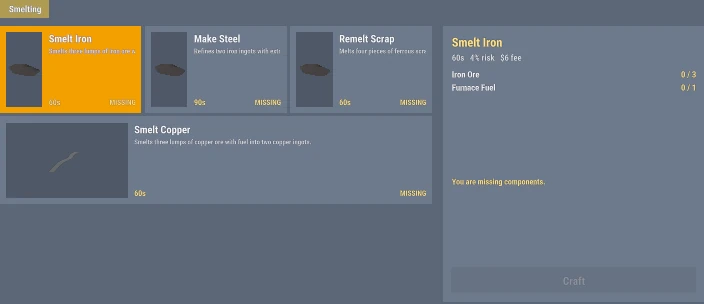
The Crafting Menu - Use the Station. Walk up to a station and pick its prompt, like Use Carpentry Bench. The crafting menu opens.
- Pick a Recipe. Each card shows what goes in, how much of it you have, how long it takes, the fee and the chance it fails. Use the tabs or the search box to find one.
- Craft. The ingredients are taken right away, and the fee comes out of Checking.
- Stay Close. A progress bar counts down. Stay at the station until it's done.
- Collect. What you made goes into your inventory, or is set down next to you if you're full. Big things like crates and bundles are always set down beside you, and they're yours.
- One craft at a time, and never from inside a vehicle.
- Walk away, die or log off and the craft stops. You get everything back, fee included. Cancel Crafting at the station does the same.
- A failed craft stops partway and usually costs you the ingredients. The card shows the odds before you start.
Note: A few recipes are illegal. They don't charge a fee, but what they make is contraband if the police search you.
- Where to CraftThe hardware store, the foundry and the sawmill.
Three places in town have public stations. Anyone can use them.
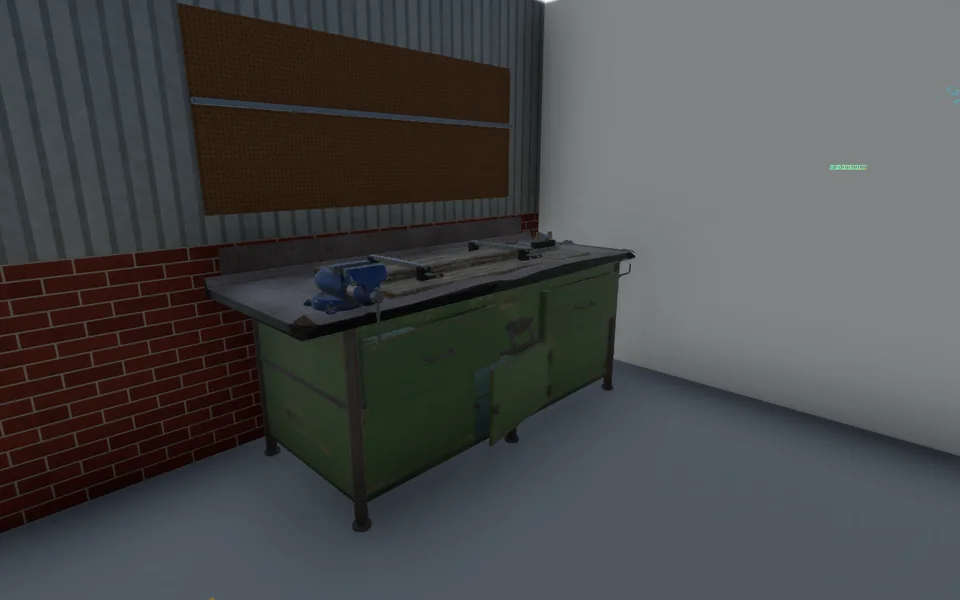
Cold Creek Hardware
Woodworking
- Carpentry Bench
- Wood Lathe
- Lumber Packing Bay
918 Alder Avenue, downtown
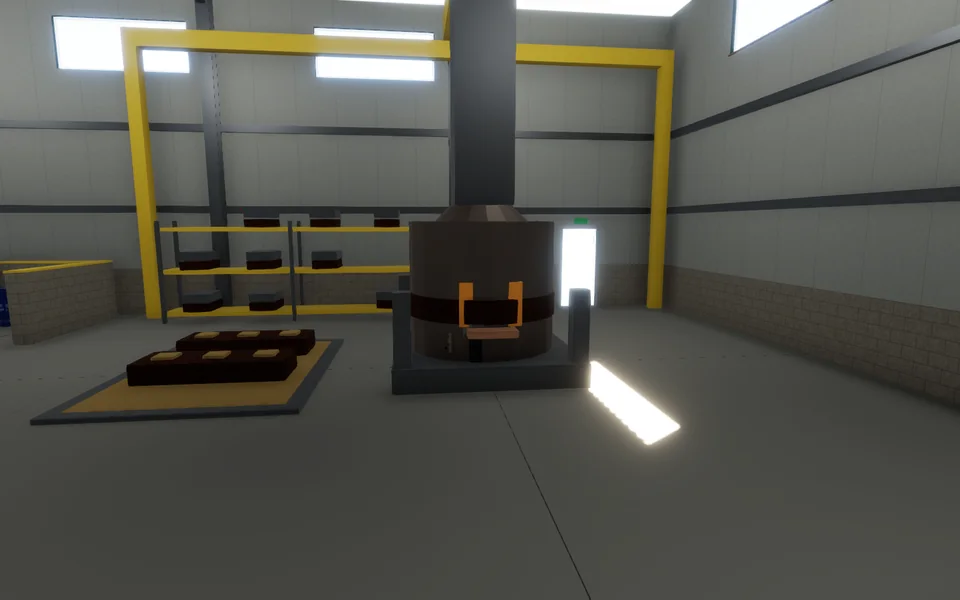
Creek Foundry
Metal and concrete
- Foundry Furnace
- Sand Bagging Table
- Concrete Mixer
South industrial area
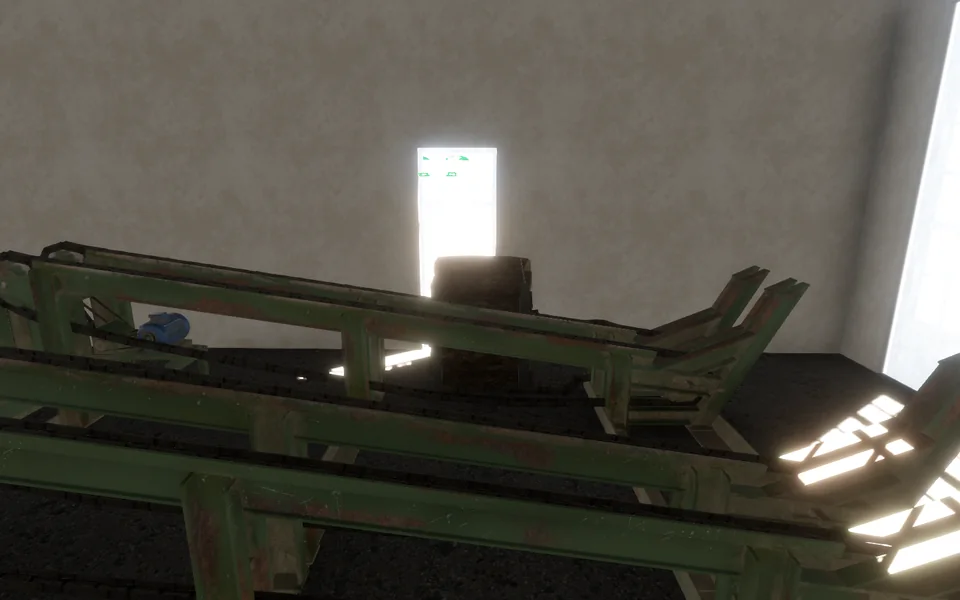
Cold Creek Sawmill
Milling
- Sawmill Log Deck
Pine Cove
Everything else, from the forge to the electronics bench, you buy and set up yourself. See Your Own Stations.
- IngredientsYour inventory, your crates nearby, and at the big stations, your truck.
A station doesn't just check your inventory.
Your Inventory
Always counts.
Your Own Crates
Any crate or bundle you own near the station. It takes only what the recipe needs and leaves the rest. Someone else's crate never counts.
Your Truck
At the bigger stations, a vehicle you can open parked close by counts too: the trunk, the crates in the bed, and whatever you have on your shoulder. What you make goes back into the truck.
Tools
Some recipes need a tool, like a knife or a hammer. Keep it on you. Tools are never used up.
Note: The truck stations are the Sawmill Log Deck, Carpentry Bench, Lumber Packing Bay, Foundry Furnace, Sand Bagging Table and Concrete Mixer. At the foundry you can pull into the lane beside the furnace and work straight out of the bed.
Buying by the Crate
Most supply vendors sell by the crate as well as one at a time. A crate costs the same as buying its items separately, and it's set down on the vendor's delivery pad, yours and ready for a truck. Stations draw straight from it, so you never have to unpack.
- A crate holds one kind of item, up to 25 kg of it.
- Those vendors also sell an empty crate for $8, to pack your own goods.
- Your Own StationsBuy a bench or a machine and set it up in a place you own.
You can buy your own copy of any station and set it up at home. Some, like the Forge and Anvil and the Machine Shop, are only found this way.
- Buy It. Small benches come in a box you can carry by hand or in a pickup bed. Heavy machines come as a bundle on a pallet, and only a forklift or pallet jack moves them.
- Bring It Home. Take it to a property you own the deed for.
- Set It Up. Inside, under the roof, hold Set Up for 5 seconds. On a land plot, anywhere on the plot works.
- Anyone with a key to the property can use your stations. Only the deed holder can pack them up.
- You can own up to 10 stations.
- Apartments take boxed benches only. Heavy machines don't fit in a flat.
- Sell the property and the stations go with it to the new owner. If a property is released after its owner has been offline for 30 days, its stations are removed and the owner gets 40% of their price back in Checking.
- Packing up or unloading a box from a truck also takes a 5 second hold. Move away, hop in a vehicle or go down and it cancels.
Note: A boxed station resells at a market for 40% of its price. Kitchen gear is in Cooking.
- WoodworkingLogs to lumber, lumber to boards, boards to furniture.
Woodworking starts with a log and ends with something you can sell, furnish a home with, or ship.
LogTimber standLog DeckLumber2 per logCarpentry BenchBoards4 per lumberCarpentry BenchFurnitureChairs, tables, bedsGetting Wood
- Cut logs at the timber stands, marked Wood Gathering on your map. No tool needed. Mill them at the Sawmill Log Deck, 2 lumber per log.
- Or buy lumber at Cold Creek Hardware for $51. Wood glue ($14) and dowel packs ($11) are there too.
Note: The money is in cutting your own logs. A log sells for $15, but milled into lumber it's worth $80. Furniture made from bought lumber loses money. Logs are heavy, so you'll want a truck to haul them.
What You Can Make
- Sell furniture to Cold Creek Furniture and crates, handles and the Cabin Kit to Cold Creek Hardware, both at the hardware store. The sawmill buys logs ($15) and lumber ($40).
- The Lumber Packing Bay wraps lumber, boards, furniture, firewood, steel bars and pipe into bundles for freight. Bundles only move by forklift.
- With your own Chopping Block, an axe splits a log into 6 firewood. A Kiln burns 8 firewood into 4 charcoal, which fuels the furnace and the forge.
- MetalworkSmelt ore into ingots at Creek Foundry, then make steel.
Creek Foundry's furnace turns ore into ingots and ingots into steel. Every job burns coal or charcoal. Ore and coal come from mining at Cold Creek Quarry, and scrap metal and old tin cans melt down too.
Iron Ore3, plus fuelSmeltIron Ingots2Make SteelSteel Bars2Creek Foundry buys ingots and steel bars at its counter, at the prices shown.
- Machining and SmithingTurn steel into tools and hardware on your own forge and machine shop.
Steel bars and ingots from the foundry become tools and hardware here. These stations aren't in town: buy your own Forge and Anvil or Machine Shop from Creek Foundry. See Your Own Stations.
- Forging a head takes a hammer and fuel. Fitting it to a handle doesn't. Cold Creek Hardware sells a hammer to get you started.
- Handles come from the Wood Lathe, or ready-made at Cold Creek Hardware.
- Tools and hardware sell to Cold Creek Hardware. Copper wire sells to Cold Creek Scrap and Salvage.
- A Scrap Sorting Table crushes tin cans, sorts scrap steel and strips old electronics for copper wire.
- Building MaterialsBag sand and mix concrete blocks at Creek Foundry.
Two stations at Creek Foundry turn sand, cement and gravel into concrete blocks.
Sand2 bucketsSand Bagging TableSand BagFree, 15 secondsConcrete MixerConcrete Blocks4 per mix- Fill Buckets. Fill buckets at the sand pits, marked Sand Gathering on your map.
- Bag It (Optional). Two buckets make one sand bag at the Sand Bagging Table, free. A bag is easier to haul, but the mixer takes loose buckets too.
- Buy the Rest. Cement is $18 a bag at Creek Foundry. Gravel is $10 a sack at Creekworks Aggregate, or $130 for a tote of 13.
- Mix. One cement, two gravel and a sand bag (or two buckets of sand) make 4 concrete blocks in about 2 minutes, for a $5 fee.
Creekworks Aggregate buys concrete blocks for $19 each, and buckets of sand for $15, for cash at its counter in Cold Creek Hardware, 918 Alder Avenue.
- With your own Rock Crusher, 2 quarry stones make 4 sacks of gravel.
- With your own Kiln, 3 quarry stones and fuel burn into a bag of cement.
Note: Cement and sand bags are heavy. Carry them by hand or haul them in a truck.
- ElectronicsCircuit boards, motors, trackers, alarms and radios on an Electronics Bench.
Electronics are built on your own Electronics Bench, sold boxed at Cold Creek Hardware for $2,500. Nobody in town buys them, so build them to use yourself or to trade with other players.
Copper wire comes from the Machine Shop or the Scrap Sorting Table.
Cooking
- How Cooking WorksStart a dish, walk away, and pick it up from the shelf.
Every kitchen station uses the same menu as crafting, with one big difference: you don't have to wait around. Start a dish and it finishes on its own.
- Use the Kitchen. Walk up to a stove, fryer or soda machine, or kitchen gear you own, and pick its prompt.
- Pick a Dish. The card shows the ingredients, how many you have, and how long it takes.
- Start Cooking. The ingredients are taken and the dish starts. Most take a minute or two.
- Take It Off the Shelf. The finished dish waits on the station's shelf until you take it.
- A shelf holds 6 finished dishes.
- Only the cook can take a dish, or on-duty staff in a restaurant kitchen. Once the cook has been offline for 10 minutes, anyone can.
- Cancel a dish and you get everything back.
Note: Food keeps you fed and watered. Nobody buys home cooking, so eat it, share it, or serve it at a restaurant.
- Where to CookRestaurant kitchens, home kitchens, and kitchen gear of your own.
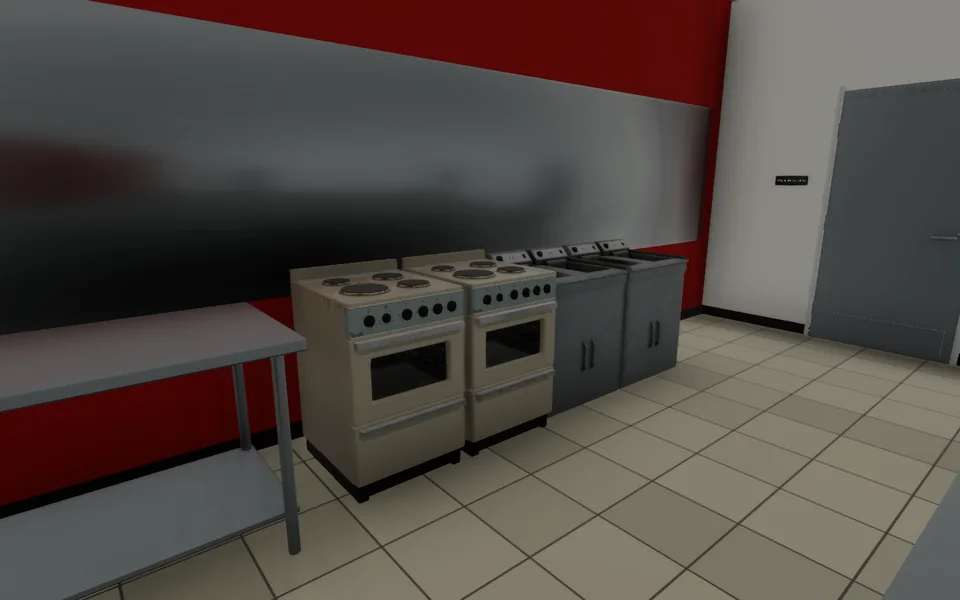
A Strip Mall Kitchen - Cold Creek Strip Mall, 212 North Harbor Street: the restaurant kitchens have stoves, deep fryers and a soda machine.
- Espinos, 631 Harbor Avenue: a stove and a deep fryer.
- At Home: flats in the apartment blocks, and some houses, come with a kitchen stove.
Your Own Kitchen Gear
Town kitchens only have stoves, fryers and soda machines. Cold Creek Produce sells those three and four more, boxed, to set up in a home you own, flats included, the same way as your own crafting stations. Anyone with a key can cook on it.
- IngredientsCold Creek Produce, by the item or by the crate.
Cold Creek Produce at Hal's Homestead, north-east of downtown, is the place to shop. It sells vegetables, meat, dairy and cups, plus ready-made batter ($3), dough ($5), cut fries ($4) and sauces. It also carries crates of cola, juice, milk, coffee and chocolate.
- Buy by the crate and it's set down on the pad by the clerk, ready for your truck.
- Kitchens use what's in your inventory and in your own crates nearby.
- Fish dishes use fish fillets, sold by the crate at Cold Creek Produce.
- Stove, Fryer and SodaThe town kitchen stations: 26 dishes and drinks.
These are the stations in town kitchens. The strip mall has all three, and Espinos has a stove and a fryer. Some dishes need prep items first: batter, dough and cut fries can be bought at Cold Creek Produce, but wrappers, noodles, aromatics, stir-fry base and salsa come off a Prep Counter, and tortillas off a Grill.
The soda machine turns an empty cup into a cup of water or a soda, in seconds.
- Prep CounterDough, batter, salsa, sandwiches and burgers.
You won't find a Prep Counter in town. Buy one boxed at Cold Creek Produce for $700 and set it up at home. It's where most dishes start: it makes the dough, batter and cut fries other kitchens need, and it builds sandwiches and burgers.
It also sorts and washes farm harvests, like a basket of apples or a crop of potatoes, into single pieces you can cook with.
- Oven and GrillBread, pizza and pies; tacos, patties and steaks.
Neither is found in town. Cold Creek Produce sells the oven ($1,800) and the grill ($900) boxed, to set up at home.
Pizza toppings can be bell peppers, cherry tomatoes, chilies, ham or onion.
- Drinks StationCoffee, tea, lemonade, juice and shakes.
Not found in town. Cold Creek Produce sells it boxed for $1,000.
Vehicles
- Vehicle DealershipsFour dealerships, from $500 bikes to $75,000 sports cars.
Four dealerships sell vehicles. Talk to the clerk and pick one. It's paid from Checking and waits for you in the bays outside.
Dealership Address Sells Prices Freaky Franklin's Used Cars 204 Mill Street First cars, sedans, crossovers and off-roaders $500 to $19,000 Valiant's Automotive 136 Main Street Premium and sports cars, heavy-duty pickups $19,000 to $75,000 Kevin Eagle's Commercial Vehicles 504 Harbor Avenue Vans, box trucks, flatbeds, trailers and road tractors $11,000 to $45,000 Cold Creek Cycle Works Merchants Mall, 719 Harbor Avenue Bicycles $500 It comes locked to you, with its plate and registration already on file. You need a CDL-A for the road tractor at Kevin Eagle's. Nothing else needs a license.
- GarageFree storage at two public lots, marked with a P on the map.
Store your vehicle at a public parking lot and bring it back out whenever you like. It's free, and the vehicle keeps its fuel, its condition and whatever's in the trunk.
Where: two public lots, each marked on the map with
 Public
Parking.
Public
Parking.Lot Where Totems Downtown Harbor Avenue, in front of the Merchants Mall East and West Pine Cove Out east, across from the fire station North and South 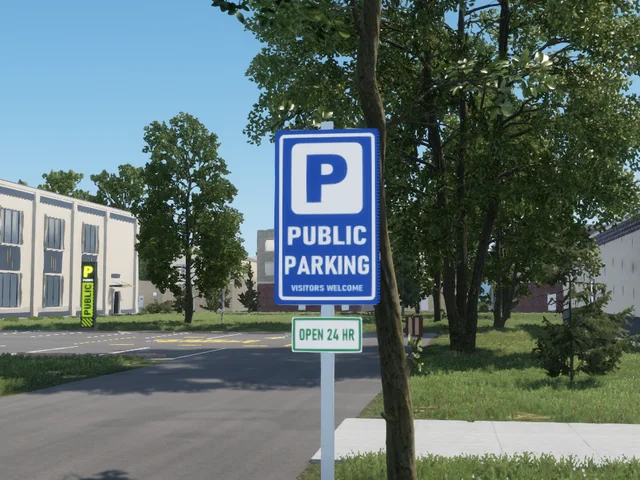
The Entry Sign 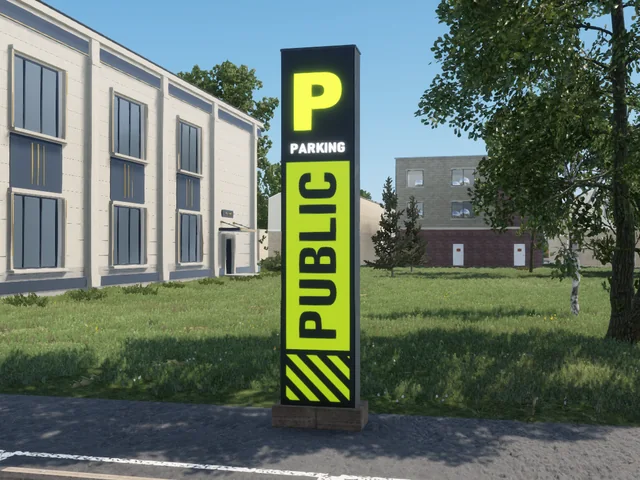
The Totem: Use It Here 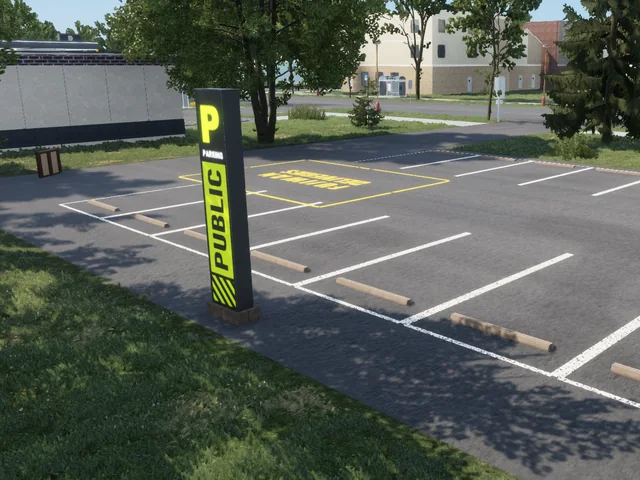
The Five Bays - Park Nearby. Leave the vehicle within 14 meters of a totem, with everyone out and nothing on the bed.
- Use Parking at the totem. Your vehicles parked nearby are listed. Pick one and press Store.
- Bring It Out at the same totem: pick it from the stored list and press Bring It Out. It comes out in a free bay, locked to you.
Note: Every garage is separate. Your vehicle stays at the garage where you stored it, so go back to that one to bring it out. The phone's Garage app shows where each one is.
Good to Know
- Every totem has five bays, the painted stalls in front of it. Vehicles come out there, so keep them clear. If all five are full, you'll be told the bay is blocked.
- Police and Fire Rescue vehicles cannot be stored here. They must be stored in their department's garage.
- Locking and KeysLock with U or the Keys app, and share keys with contacts.
Only you can get in, front or back, unless you share a key. To lock or unlock your nearest vehicle within 10 meters, press U on a keyboard or View+LB on a controller. You can change it in Controls.
The phone's
Keys app works from anywhere. Use it to lock or unlock, open just
the passenger seats, share a key with a contact or take it back, and transfer
ownership. Transferring hands it over for good and wipes every shared key.Someone with a lockpick can still break in, but without a key they can't start the engine.
- Registration, Plates and the DMVHow the DMV and registration work.
Every vehicle gets a plate the moment you buy it: three letters and three numbers, issued at random. You can't choose your own, and there are no temporary tags.
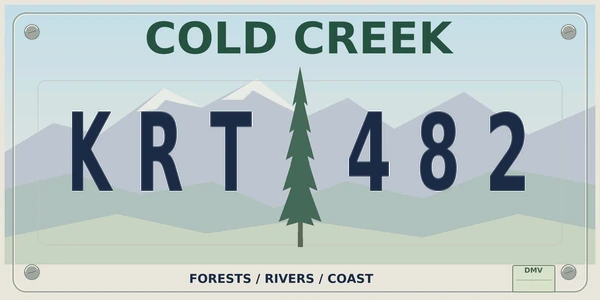
Civilian Plate 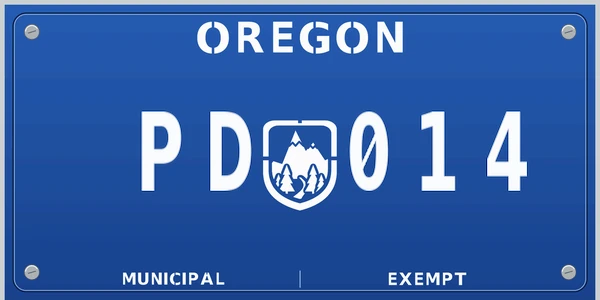
Municipal Plate, Police and EMS Registration is free and comes with the vehicle, good for 14 days. Renew it at the DMV, 310 Salal Street, in the last 2 days or any time after it runs out.
The plate and registration follow you and the vehicle everywhere, regardless of garaging it or server restarts.
- Damage, Towing and RepairVehicles are never destroyed, only totaled and repaired.
- Vehicles are never destroyed. Crashes, explosions and fire can total one, but never destroy it. A totaled vehicle won't start until it's repaired, so it has to be towed to a repair bay.
- Get It Towed to Alpharius Auto & Body, 704 Industrial Way. Tow it yourself if you have a tow truck or tow trailer, or let a medallion holder take it: press Authorize tow in the Keys app, which lasts 30 minutes.
- A Mechanic Repairs It in one of the repair bays. Only Tow and Repair Medallion holders can do repairs, and it takes under a minute.
- You Get the Bill on your phone, and you can pay it or decline it.
- ImpoundMarked by police, released for $200, gone after 14 days.
If police mark your vehicle for impound, you can still drive it. The mark stays on until it's towed or an officer lifts it.
Once it's towed to the impound lot near the police station on Cedar Street, you get a text. Get it back at the lot for $200, paid from Checking. If police put a hold on it, you can't take it out until they lift the hold.
Leave it there for 14 days and it's gone for good, plate and all. Time on hold doesn't count, and you get a text 2 days before.
Property
- Buying PropertyBought through the realty office, owned like a vehicle.
- Through the realty office. Ownership is a record, the same as a vehicle.
- Door LocksGive access without handing over the deed.
- The lock policy is separate from ownership, so access can be granted without handing over the deed. A gated door replaces the ordinary prompt rather than adding a second one, so there is nothing to walk around.
- Your AddressShown on your license and in the CAD.
- Your housing address appears on your driver licence and in the CAD lookup.
- TransfersProperty changes hands from the phone.
- Property changes hands from the phone.
Shops and Items
- VendorsShops set to take cash, your account, or either.
- Counters, pads and signs for motors, realty, the store, the gun shop, the armoury, the fleet yard, EMS, the mod shop and the garage. Each vendor is set to take cash, the account, or either.
- ClothingThree stores at the Merchants Mall: streetwear, outdoor wear and hats.
Three clothing stores, all inside the Merchants Mall at 719 Harbor Avenue. Talk to the clerk to browse, and pay in cash or from Checking.

North Street Threads
Streetwear
- T-shirts, hoodies, tanks and track tops
- Jeans, slim trousers and joggers
- Sneakers and running shoes
$60 to $205

Cold Creek Outfitters
Outdoor wear
- Field jackets, denim jackets and sweaters
- Hiking pants and bootcut jeans
- Hiking shoes and boots
- Backpacks and sling bags
$115 to $380

Lids and Lenses
Hats and accessories
- Ball caps
- Bandanas and ski masks
- Motocross goggles
- A short haircut
$30 to $90
- Gas StationsTwo stations. Pay at the pump from Checking, by the gallon.
Pull up beside a pump, hold Refuel, and let go when you're done. You pay as you pump, straight from Checking, by the gallon.
Station Address Downtown Fuel 307 Market Street Bearpaw Fuel & Go 111 Log Yard Road - Each station's sign shows the live price per gallon.
- A meter on screen shows the gallons and the running cost while you pump.
- The pump takes Checking only, not cash. If Checking runs out, the pump stops and you pay for what you got.
- On-duty police and Fire Rescue filling a department vehicle are billed to their department, not their own Checking.
- HardwareCold Creek Hardware: tools, lumber, garden seeds and supplies.
Cold Creek Hardware, at 918 Alder Avenue, is the place for tools, lumber and building supplies, garden seeds and gear, and a few outdoor basics like a fishing rod. Talk to the clerk, and pay in cash or from Checking.
- Firearms and SerialsLicense at Yocub's Powder Keg range. Legal guns carry a serial.
Every legal gun starts at Yocub's Powder Keg. It's the only place to earn a Firearm License, and you need that license to buy a gun.
Where: Yocub's Powder Keg, 212 North Harbor Street, at the Cold Creek Strip Mall. The same clerk runs the gun counter and books the range.
Getting Your Firearm License
- Book at the Counter. Talk to the clerk and book the handgun license qualification. It costs $200, in cash or from Checking, and you're given a lane.
- Begin Within 5 Minutes. Go to your stall and press Begin. Leave room in your inventory: the range lends you a pistol and two magazines.
- Shoot the Course. Four timed strings of 5 rounds, 20 in all. Each hit scores up to 5 points, out of 100.
- Score 70 or Better. Your Firearm License is issued on the spot and goes on your record. It never expires.
String Distance Rounds Time 1 3 yards 5 6 seconds 2 7 yards 5 8 seconds 3 7 yards 5 12 seconds 4 15 yards 5 12 seconds - Stay in your stall. Step out for more than 2 seconds, leave the range, let go of the range pistol or are incapacitated, and the course ends with no license.
- Fail and you can book again for another $200. Don't start within 5 minutes and your $200 is refunded.
- A suspended license can only be lifted by the police. A revoked one needs an officer to clear you before you can book.
Serial Numbers
A gun bought from a licensed counter is stamped with a serial number the moment you buy it. A gun with no serial was never sold legally, and that alone makes it illegal, whoever holds it.
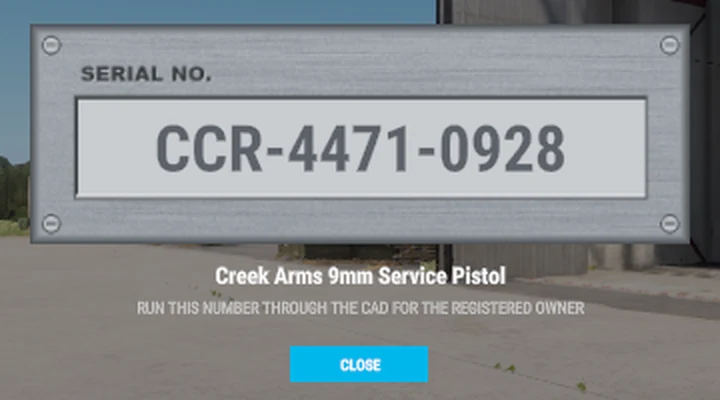
A Legal Gun 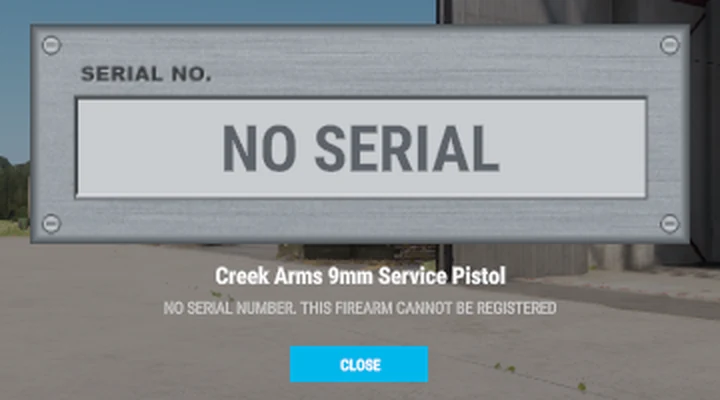
No Serial: Illegal - Check Serial: use it on a gun to see its plate. It also shows when you inspect the gun in your inventory.
- Registered to You: a gun bought at a licensed dealer goes on your record at the counter. Any officer who runs its serial in the CAD sees your name.
Note: The Firearm License is also what lets you carry a handgun concealed.
- Illegal DealersCash-only dealers, grows, the fence and the chop shop.
Cold Creek has an underground economy that runs on cash. Street dealers move around town buying and selling, there are places to grow, a fence that buys stolen goods, and a chop shop that strips stolen cars. Finding them is up to you.
Note: None of it is legal. On-duty police can't use any of it, and there's always a chance someone tips off the police.
- SafesStorage that persists and cannot be raided.
- Container storage that persists. Safes are not raidable.
Judicial System
- The Two-Stage SystemPenalties at arrest, then the court decides the rest.
Cold Creek's justice system runs in two stages.
Stage one is the arrest or citation itself. The arresting officer sets the fine, the jail time or both, following the Book of Laws. These penalties are kept small on purpose: they stand in for the part of a real arrest that comes before arraignment. Once the sentence is served, you go about your life with no restrictions and no label beyond what your arrest report says.
Stage two applies to felonies only. The District Attorney may prosecute a felony further to seek a conviction. You must be notified in writing, through cDocket, within five days of the arrest. After five days, the case is sealed.
Within those same five days, you may contest the arrest and submit evidence through cDocket.
- Criminal Case ProceedingsPlea deals and jury trials once the DA prosecutes.
Once the District Attorney decides to prosecute, the case ends in a plea deal or a trial.
Plea deal. A plea deal settles the case on the spot, usually with a lighter sentence or a seizure. The District Attorney and the defendant must both agree to it. If they cannot agree, the case goes to trial.
Trial. When a case goes to trial, a trial channel opens automatically for the Judge, the District Attorney, the defendant and three jurors. Jurors are picked at random from the residents of Cold Creek. Each side may strike one juror, who is replaced automatically.
Arguments. Each side gets two turns, and the District Attorney goes first. A side has 24 hours to enter its argument, and the turn passes to the other side as soon as it does.
Verdict. After both sides have had their two turns, the jury deliberates and votes. If it cannot reach a verdict, it deliberates once more. If it still cannot, the trial ends in a mistrial: the case closes and the charges are dropped.
- Sentencing and Felon StatusFines up to 5x, asset seizure and felon restrictions.
Sentencing. After a guilty verdict, the Judge delivers the sentence within 48 hours of the verdict being read. The Judge may set fines of up to five times the amount in the Book of Laws.
Seizure. The most important part of a sentence is the seizure of assets. When a crime involves property or money, the Court may seize vehicles, houses, tools and bank accounts.
Felon status. A felony conviction in court restricts the person convicted. A felon may not possess a firearm, hold a Firearm License, hold a government position or vote.
Staying Alive
- Hunger and ThirstBoth tick down. Eat and drink to keep going.
- Both tick down. Food and drink are items, and consumables carry modifiers.
- InjuryWounds last until treated. EMS come once it's safe.
- A wound lasts until it is treated. EMS respond to calls once a scene is declared safe for entry.
- DeathClears what you carry. Your bank and property stay.
- Death clears what you were carrying. That is mechanical, not an honour rule, so what you take out with you is a real decision.
- ReconnectingPosition, health and inventory are saved when you leave.
- Position, health, worn kit and inventory are saved on disconnect and restored when you come back. Disconnecting during a scene is recorded, with who you were fighting and where you had been.
This is a first edition. It covers the systems that have shipped. Anything wrong, missing or out of date is worth a message in Discord, and anything on the road map that is not here yet simply has not been built.
See the road map